
Error experienced
Potential Error Messages
-
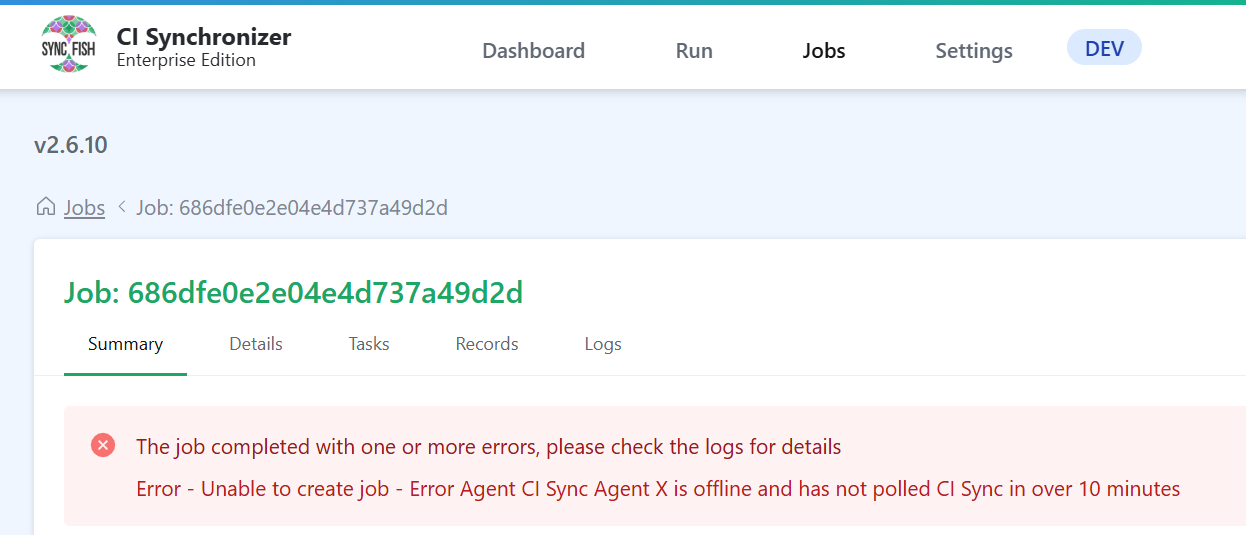
Unable to create job - Error Agent CI Sync Agent X is offline and has not polled CI Sync in over 10 minutes.
-
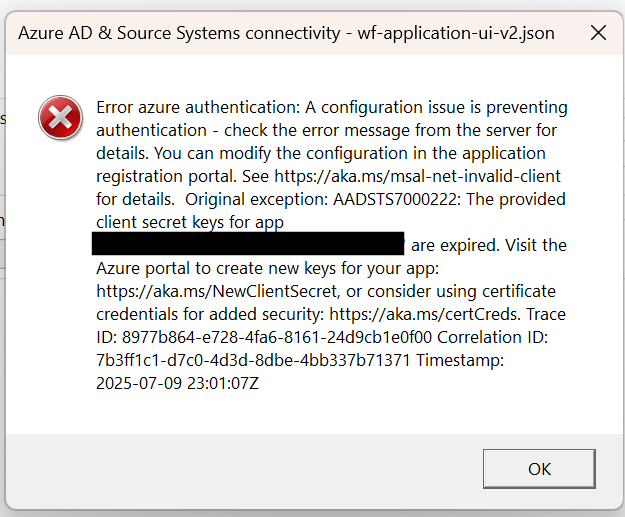
The CI Sync Agent UI reports a long error message contain the key words “The provided client secret for app xxxxxx are expired“ (where xxxxx is the app registration for the CI Sync Agent).
Error verification
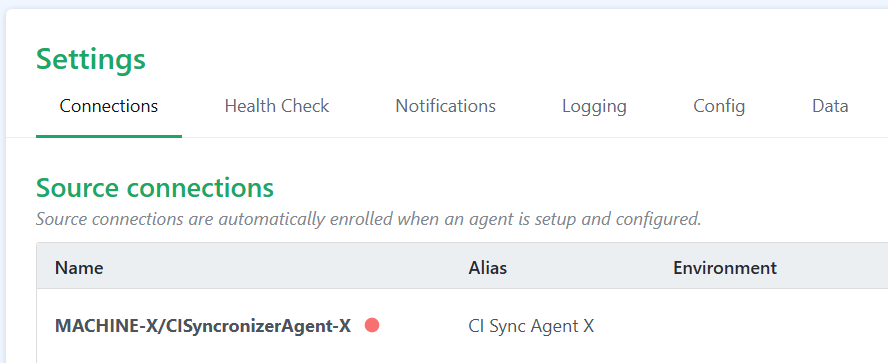
In the Settings page Connection tab, the agent will have a red dot next to its name.
When hovering over the red dot it will display the last time the agent successfully polled.
When viewing a job that has errored the error “Error - Unable to create job = Error {YOUR AGENT} is offline and has not polled CI Sync in over 10 minutes” will be displayed at the top of the page
Cause
The CI Synchronizer agent is offline or unable to successfully poll your CI Synchronizer instance.
Fix
Check the following steps:
Is the installed CI Synchronizer agent service running?
Verify on the machine where the CI Synchronizer agent is installed that the service is running.
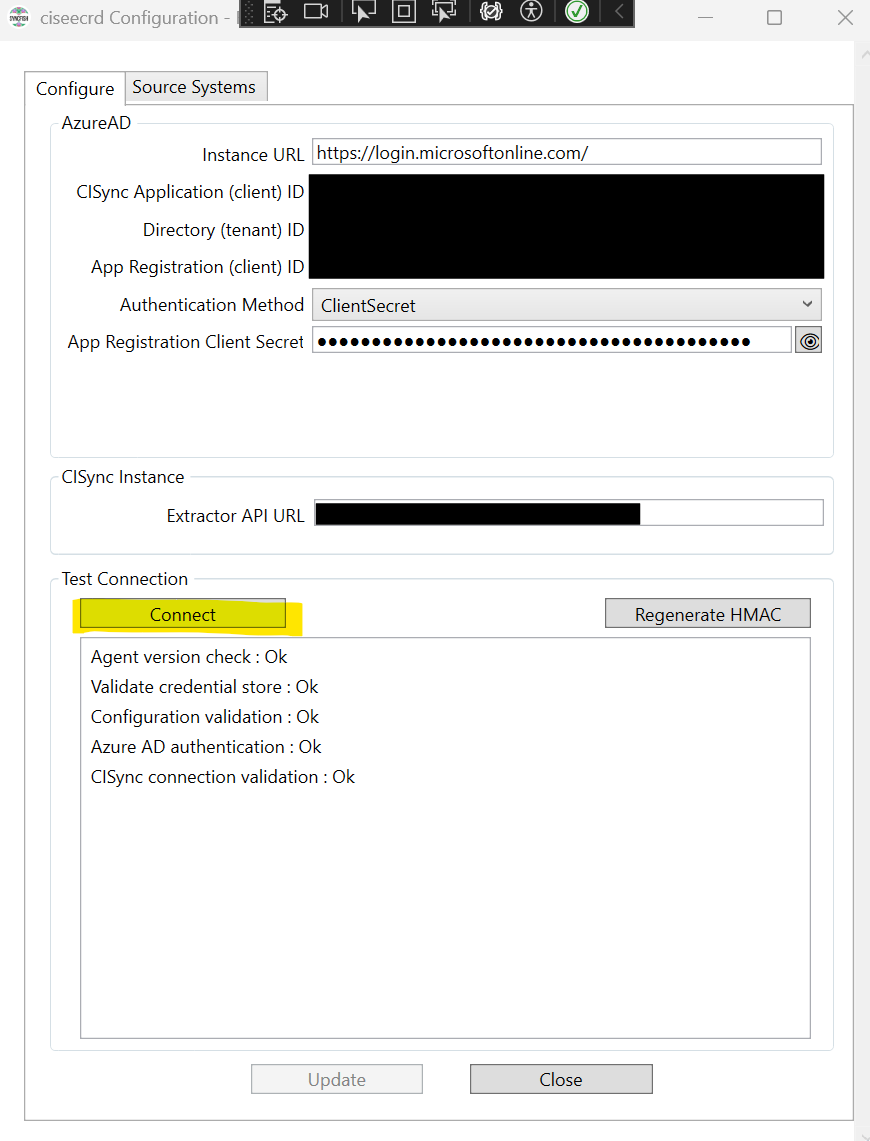
Using the CI Synchronizer Agent Config UI click the "Connect" button
Click the Connect button underneath "Test Connection” and validate no errors are displayed.
If using Client Secret authentication, has the Client Secret expired?
See also → https://support.syncfish.com.au/cs/ckb054-how-to-update-an-expired-client-secret-for-
If using Client Secret authentication, is the Client Secret invalid?
Ensure you have entered the Client Secret Value and not the Client Secret ID
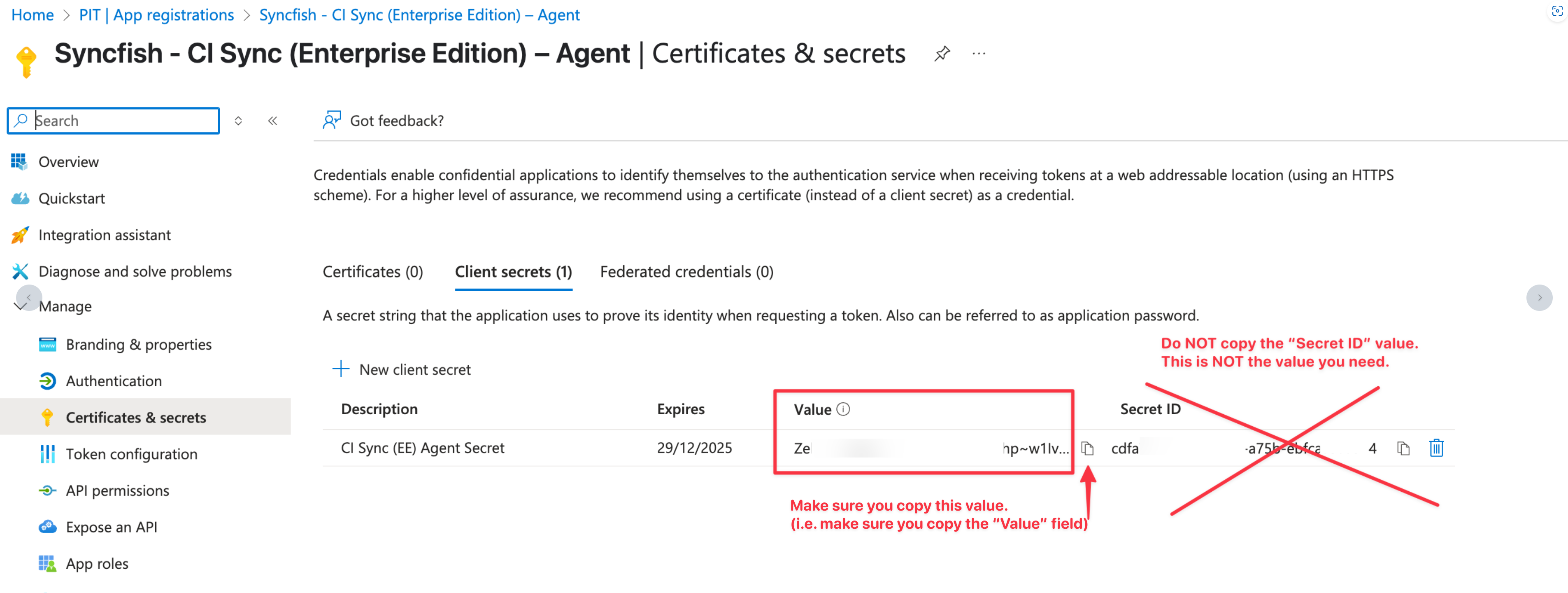
See also → https://support.syncfish.com.au/cs/ckb054-how-to-update-an-expired-client-secret-for-
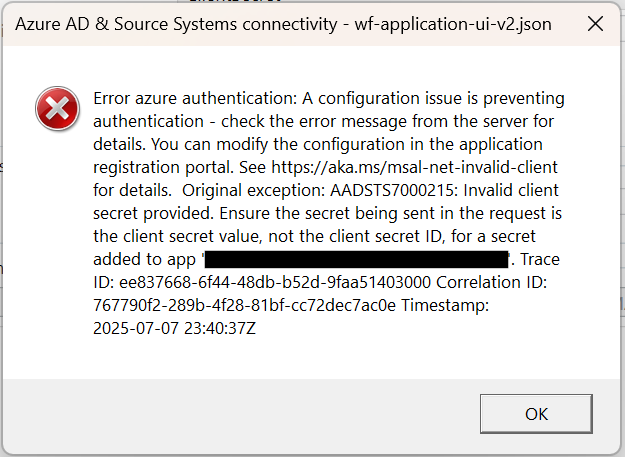
If using Certificate based authentication, does the certificate exist?
See also → https://support.syncfish.com.au/cs/ckb020-troubleshoot-error-validating-agent-authent
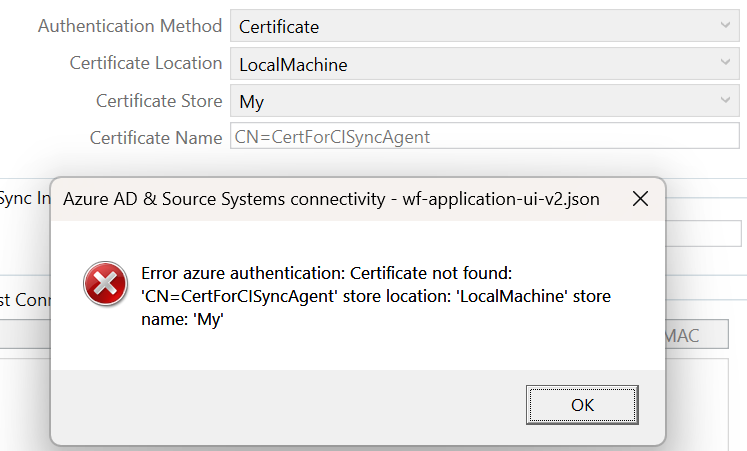
Is there a HMAC mismatch error?
Check CI Synchronizer agent logs
You can view logs at c:\program files\syncfish\CISynchronizerAgent\service\logs
Note: This folder “CISynchronizerAgent” is the default and may differ for your installation.
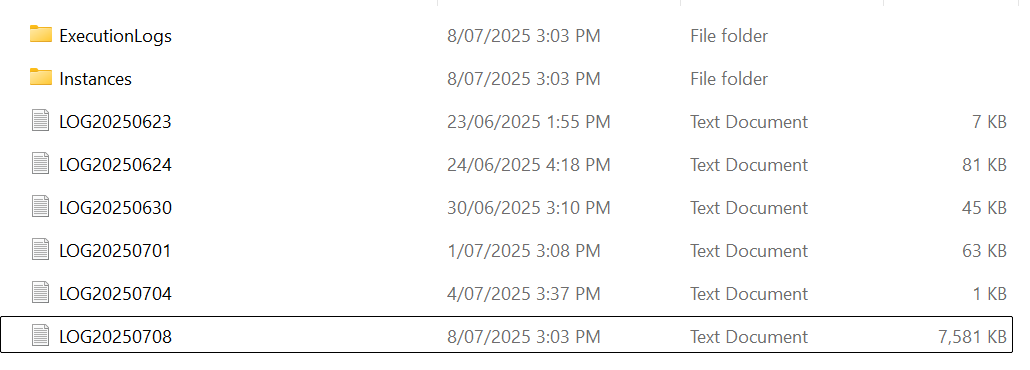
If none of the above checks show anything at fault, please create a support ticket on our support portal @ https://syncfish.atlassian.net/servicedesk/customer/portal/2, attaching the last couple of days of logs from the Agent.
Related articles
There are currently no related articles.
Control Information
|
Created |
|
|---|---|
|
Reviewed |
|
|
Data Classification |
PUBLIC
|