
Error experienced
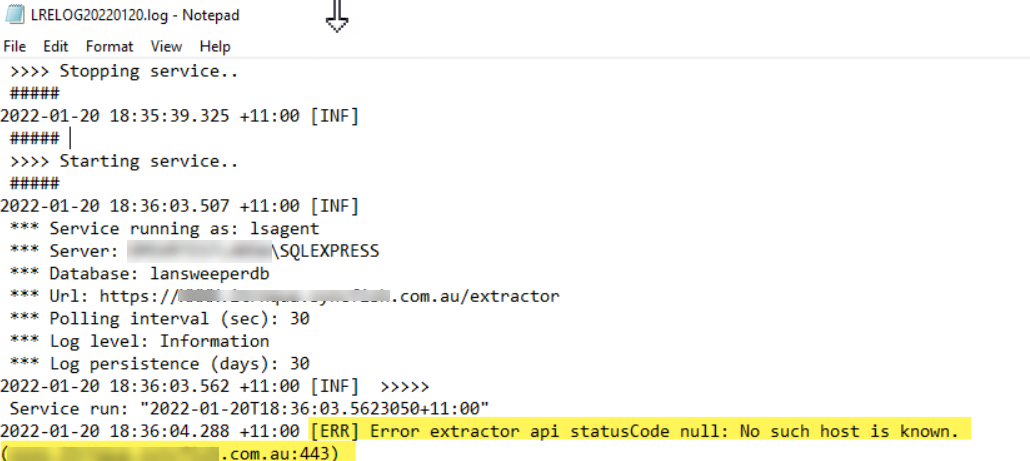
"error extractor api statusCode null: No such host is known"
Error verification
When reviewing the Log files in C:\Program Files\CISyncAgent\logs, this error references an issue finding the host:
Cause
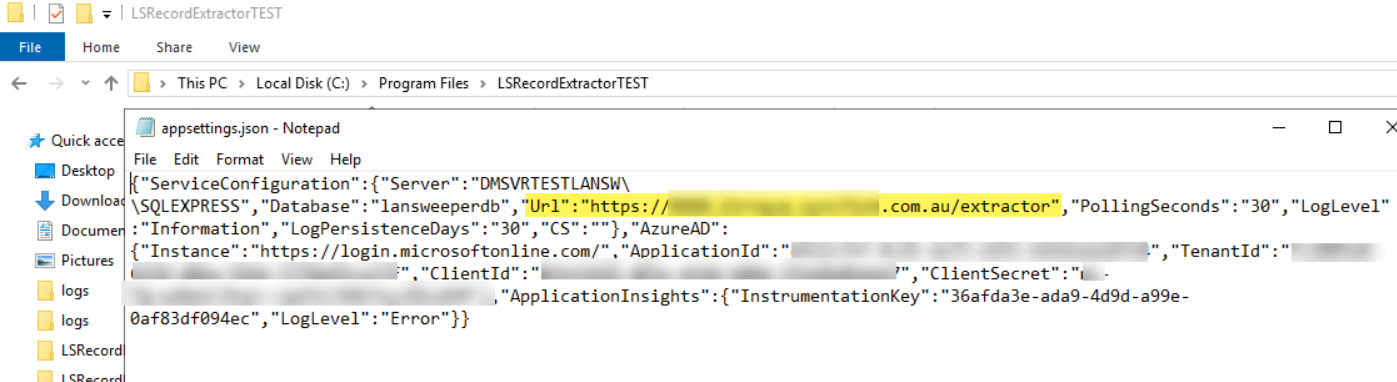
This is due to a misconfigured URL in the appsettings.json file in C:\Program Files\CISyncAgent
Fix
On the server hosting CI Sync (EE) agent
-
Go to Windows Services.
-
Locate and stop the CI Sync (EE) LS Agent Service.
-
Go to the appsettings.json file and correct the URL setting https://<yoururl>.syncfish.com.au/extractor then save the file.
-
Restart the CI Sync (EE) LS Agent Service.
-
Review the log file again.
Related Articles
There are currently no related articles.
Control Information
|
Created |
|
|---|---|
|
Reviewed |
|
|
Data Classification |
PUBLIC
|