
Error experienced
"error": "A network-related or instance-specific error occurred while establishing a connection to SQL Server. The server was not found or was not accessible. Verify that the instance name is correct and that SQL Server is configured to allow remote connections.
provider: Named Pipes Provider, error: 40 - Could not open a connection to SQL Server"
Error verification
No other error verification information is applicable.
Cause
This error may be caused by the below occurring:
-
The SQL Server isn't running on the expected default port.
Check the Database Port
-
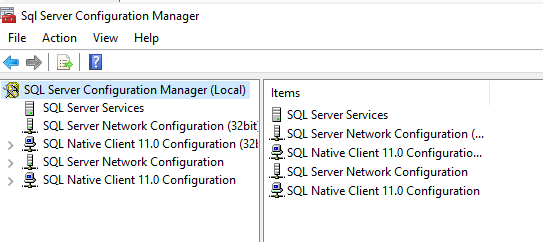
Login to SQL Server and open Sql Server Configuration Manager
-
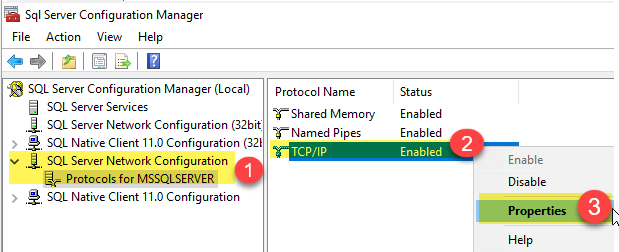
Expand SQL Server Network Configuration > TCP/IP and right click and choose Properties
-
Click on IP Addresses tab and confirm the TCP Port being used.
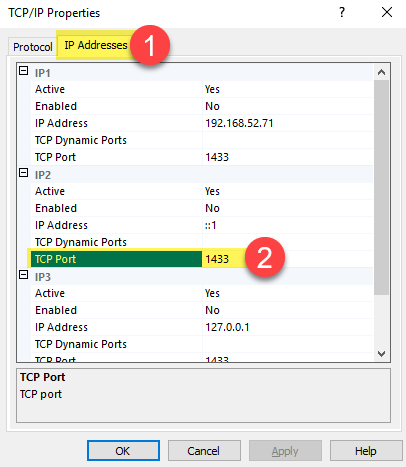
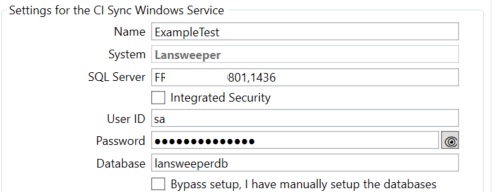
If the port has been changed from the default of 1433 the new port will need to be reflected in the CI Sync Agent
-
On the VM where CI Sync Agent is installed.
-
Open the CI Sync Agent.
-
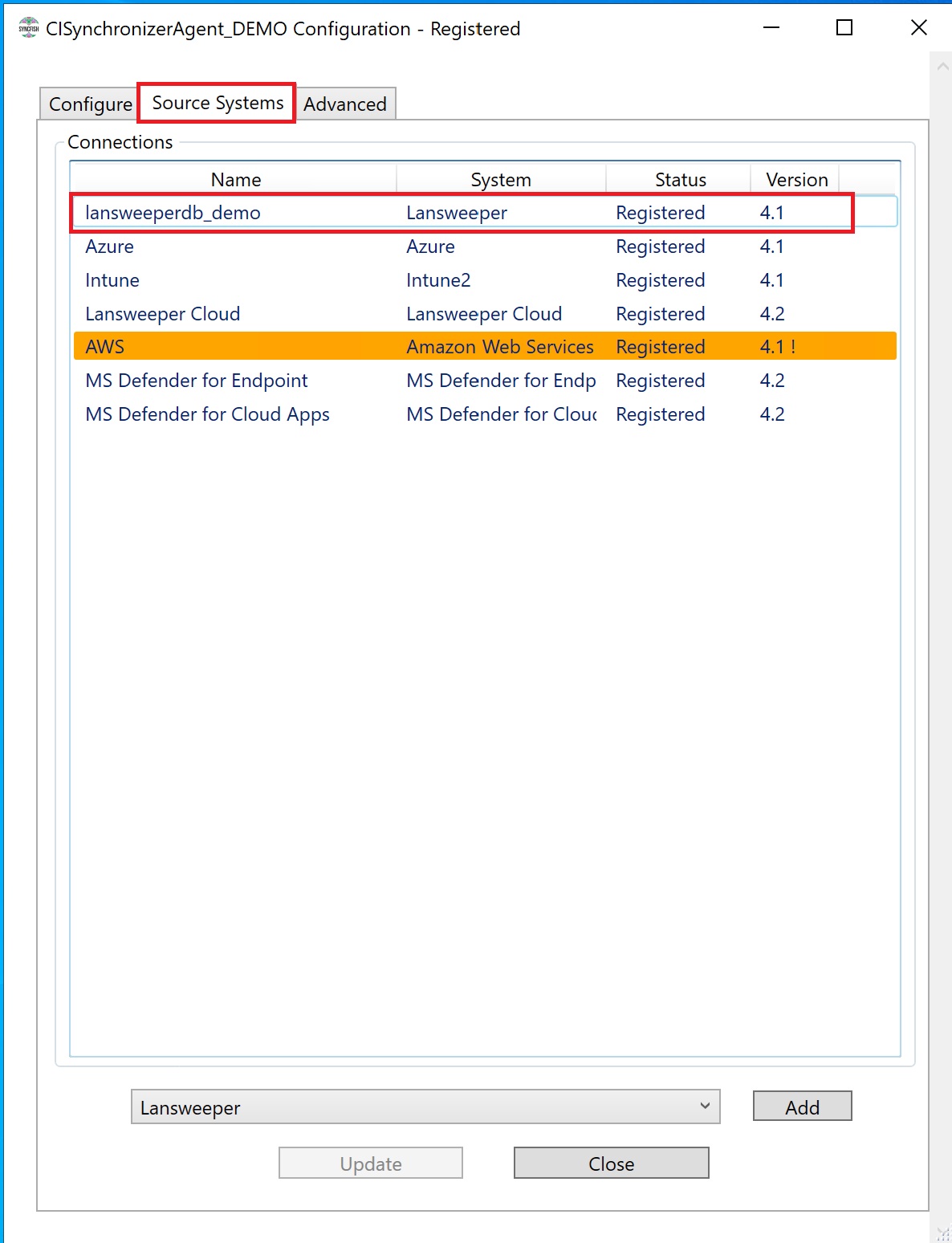
Click the Source Systems tab.
-
Double click the Lansweeper on-prem Source connection.
-
In the SQL Server field, after the name add a comma then the port number, e.g. ,1436
-
Click Setup & Test.
-
After a successful test has been completed, click the Save button.
-
Perform a Sync to confirm the instance is all OK.
Related Articles
There are currently no related articles.
Control Information
|
Created |
|
|---|---|
|
Reviewed |
|
|
Data Classification |
PUBLIC
|