
Error experienced
Cannot open database “%” requested by the login. The login failed. Login failed for user '%'
Error verification
No other error verification information is applicable.
Cause
This error indicates that the CI Sync agent was unable to authenticate to SQL Server. This is typically the result of a database having been restored and the user mappings lost from the SQL login to the database.
Fix
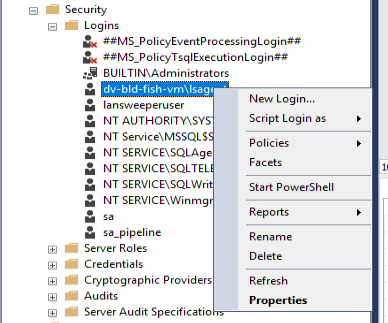
In SQL Server Management Studio, navigate to Security/Logins and select the login that corresponds to the account the CI Sync Window service runs as. (default is lsagent).
Right-mouse click on the login and select Properties:
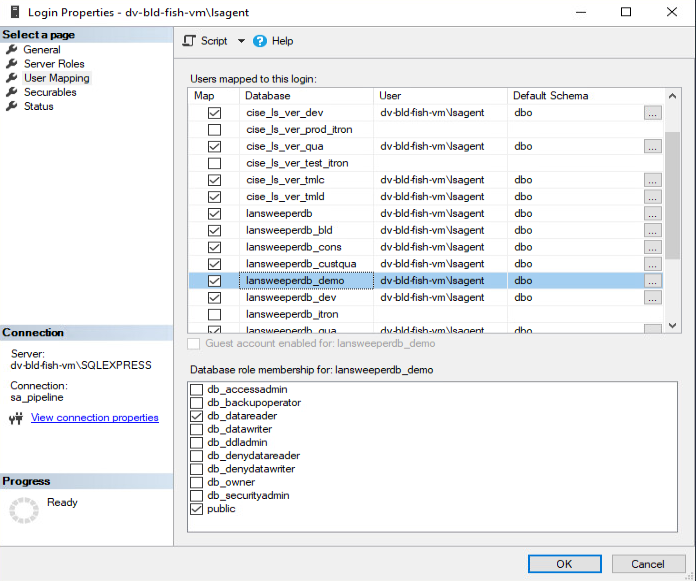
Navigate to User Mapping
Check the checkbox for the lansweeper database, check the db_datareader role and click the OK button.
Related Articles
There are currently no related articles.
KB Information
|
Created |
|
|
Reviewed |
|
|
Data classification |
PUBLIC
|