
Error experienced
When synchronizing objects, the task fails with the error
“Invalid object name ‘STRING_SPLIT’”
“Incorrect syntax near the keyword 'with'“
Error verification
No other error verification information is applicable.
Cause
This error is caused by the Lansweeper SQL Server database compatibility level being set below 130.
The Query used to extract the Windows Server IP Addresses relies on the SQL Server SPLIT_STRING function which was introduced in SQL Server 2016 (version 130).
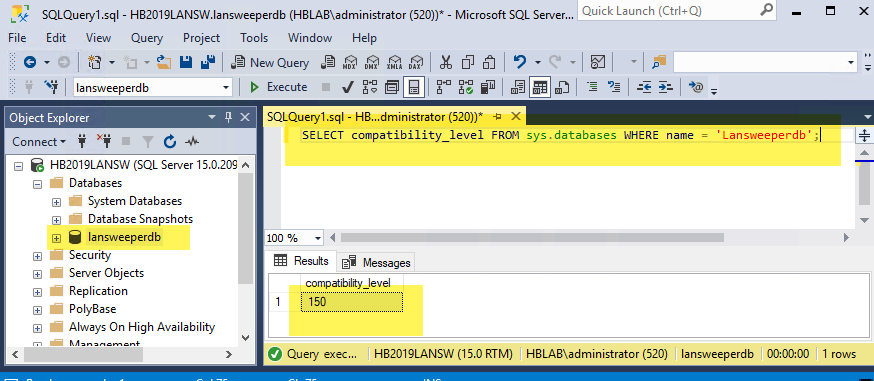
To check the compatibility level of the lansweeperdb run the following query using SQL Server Management Studio (or some other query tool):
SELECT compatibility_level FROM sys.databases WHERE name = 'Lansweeperdb';
Fix
It is recommended your system is running on at least SQL Server 2019 or later.
To fix this issue, the compatibility level of the Lansweeper database may need to be increased to 130 or above. This may be updated in either of two ways - Via TSQL Command or Via SSMS UI.
Note: Using either of the methods below, you will only be able to increase the compatibility level to the version of the SQL Server instance hosting the database.
Microsoft Documentation for ALTER DATABASE (Transact-SQL) compatibility level is available below:
Via TSQL Command
To upgrade the combability level to SQL Server 2019 run the following command in SQL Server Management studio (or some other query tool):
ALTER DATABASE Lansweeperdb SET COMPATIBILITY_LEVEL = 150;
Via SSMS UI
Within SQL Server Management Studio (SSMS):
-
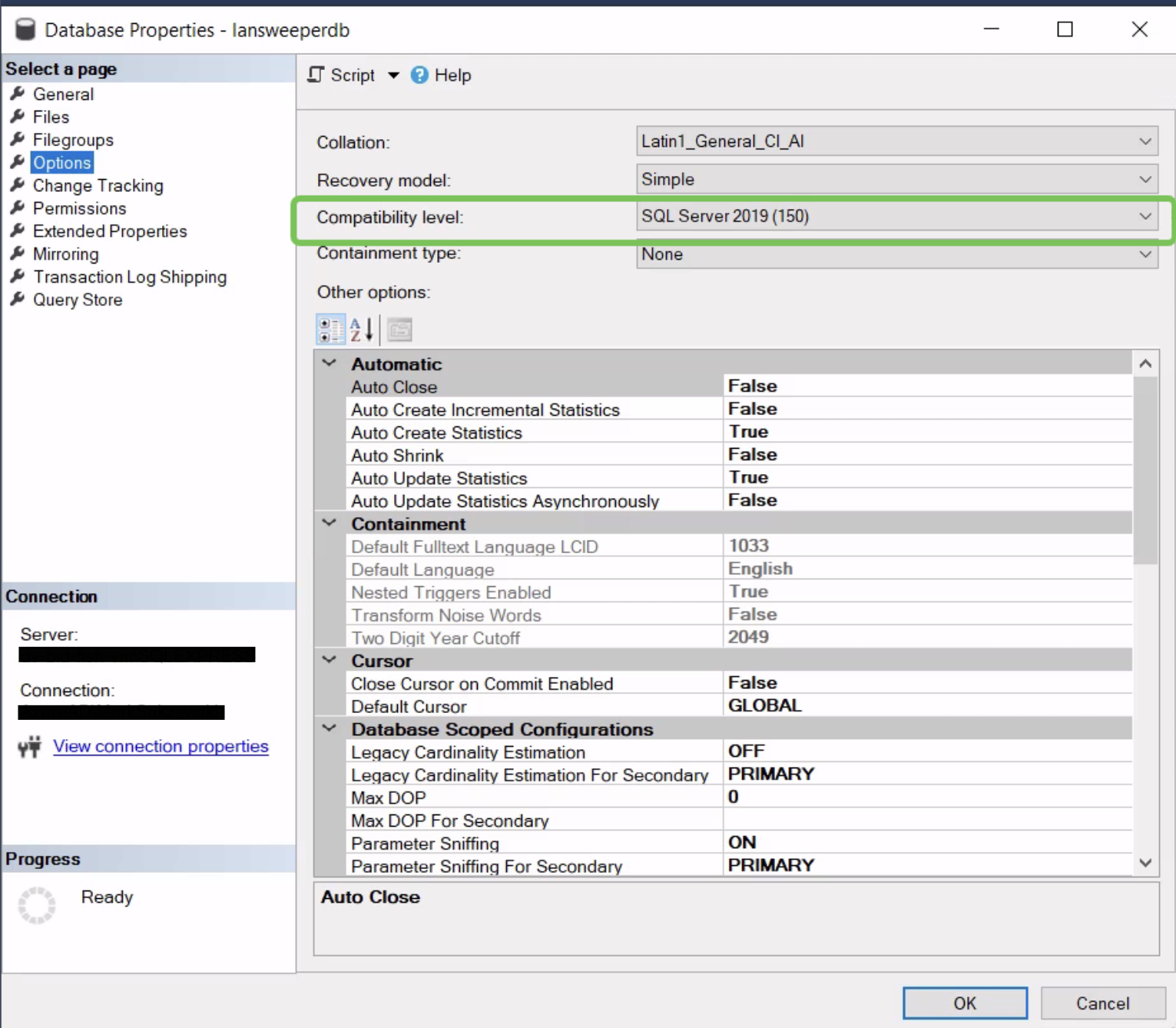
Navigate to the Properties dialog for the LansweeperDb database and
-
Select Options in the left-hand menu,
-
You will see the Compatibility level displayed in the right-hand pane - increase to 130 or above.
-
Click OK to save the change.
Related Articles
There are currently no related articles.
KB Information
|
Created |
|
|---|---|
|
Reviewed |
|
|
Data Classification |
PUBLIC
|