
Error experienced
After installing/uninstalling several instances of the CI Sync agent using the new installer
-
the multi-instance page no longer appears.
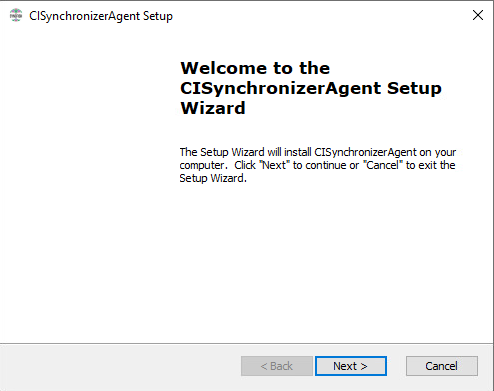
When launching the installer it navigates directly to the Welcome screen:
Error verification
No other error verification information is applicable.
Cause
This is the expected behaviour for the installer.
If there are no instances installed, the multiple-instances dialog is NOT displayed.
Fix
-
Install the first instance of the CI Sync agent.
-
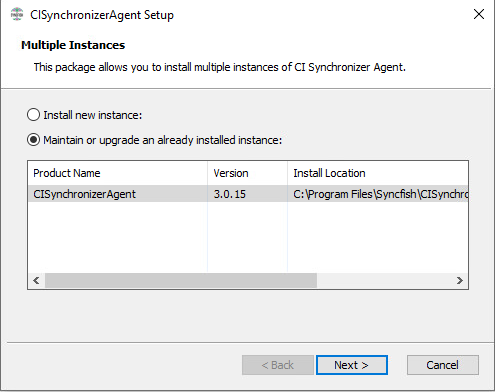
Re-run the installer and the Multiple Instances page will be displayed:
References
See also: Advanced Installer Community - Multiple Instance Windows does not offer installing new instance
Related Articles
There are currently no related articles.
Control Information
|
Created |
|
|---|---|
|
Reviewed |
|
|
Data Classification |
PUBLIC
|