
Error experienced
“Unable to create/update connection because a partial match exists”
Error verification
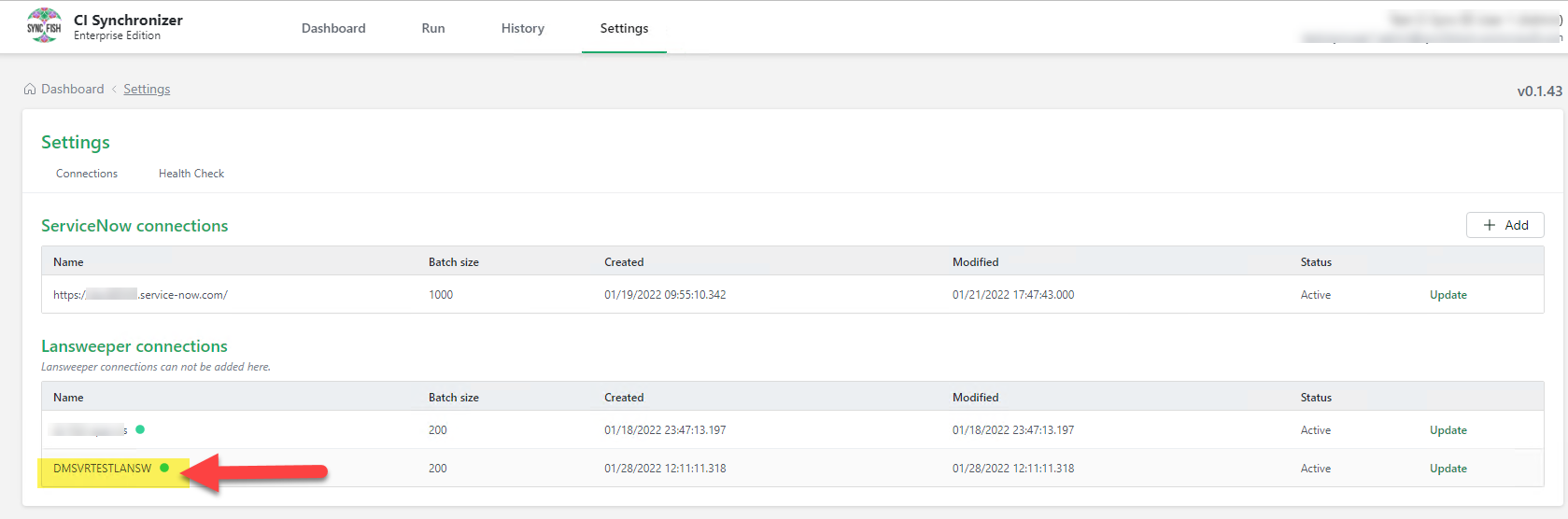
When in CI Sync (EE) under settings you do not see the server under connections or a different server than the one you are using.
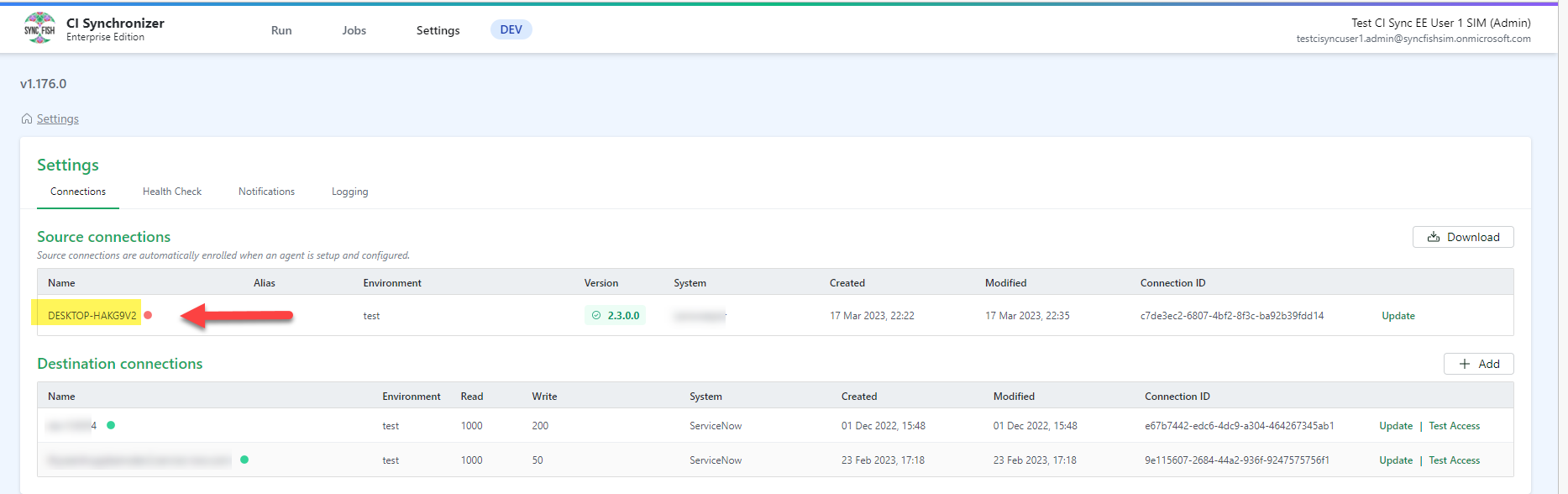
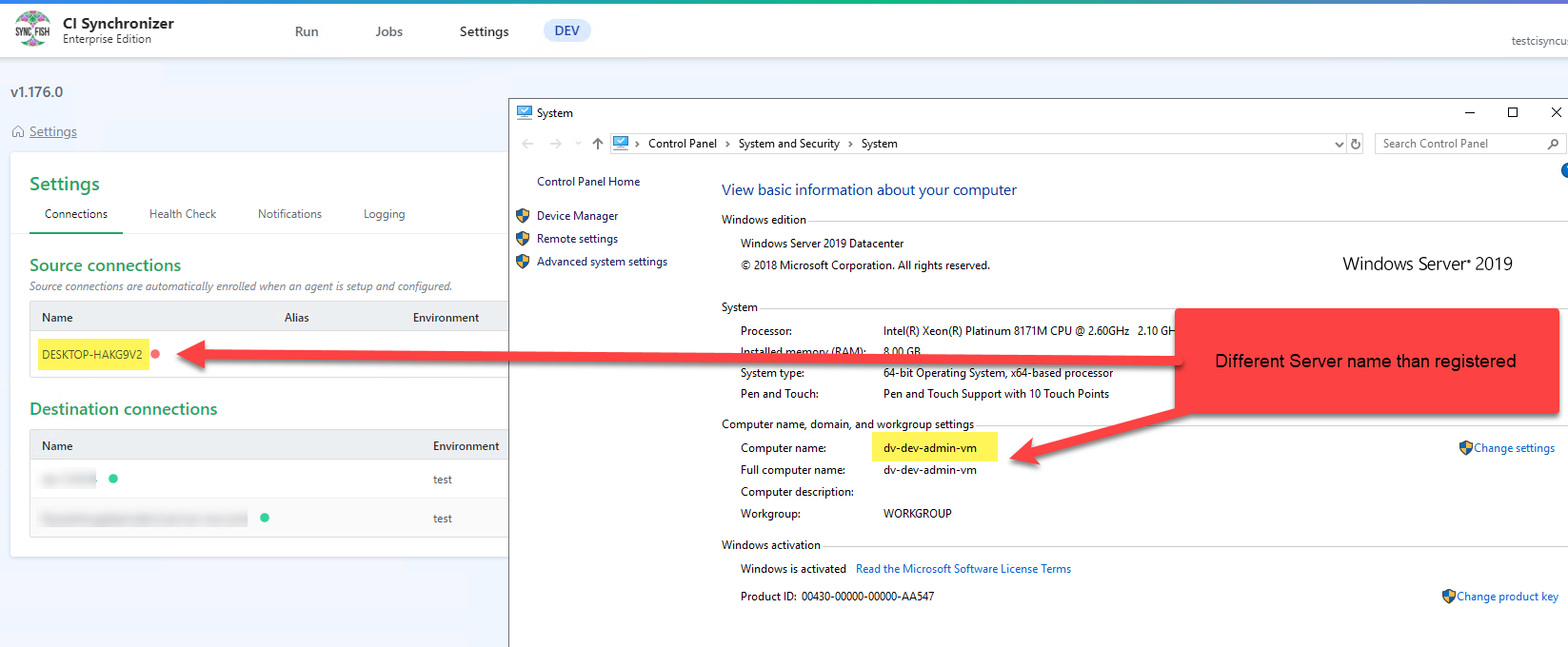
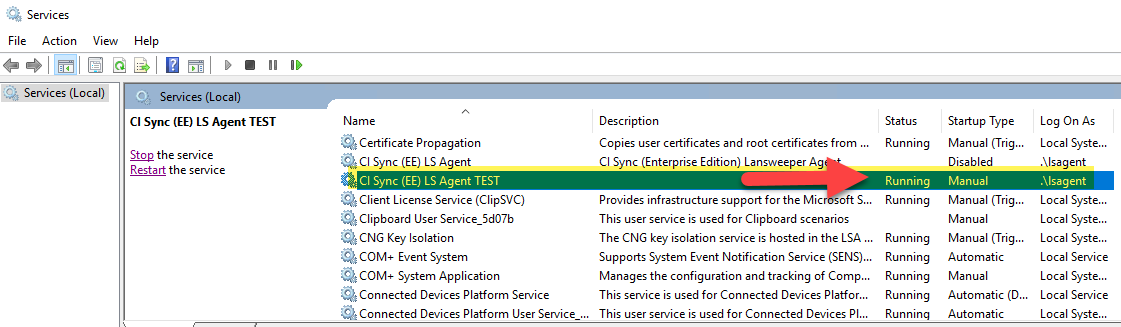
Confirm the collector application is operational and also check in Services that the CI Sync (EE) LS Agent service is started.
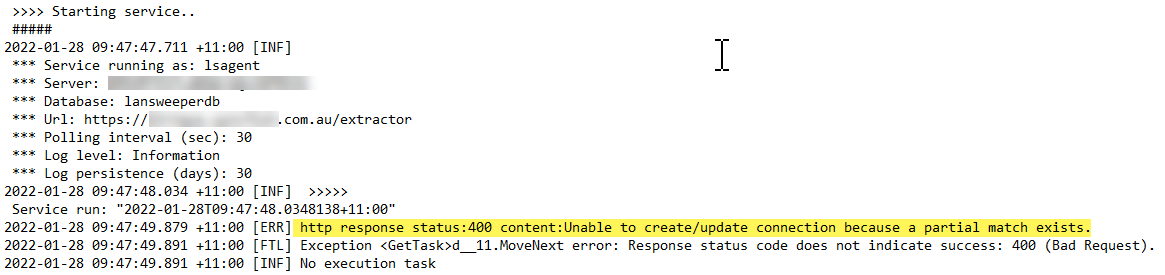
Go to C:\Program Files\CISyncAgent\logs and open the most current log and check for errors as shown below.
Cause
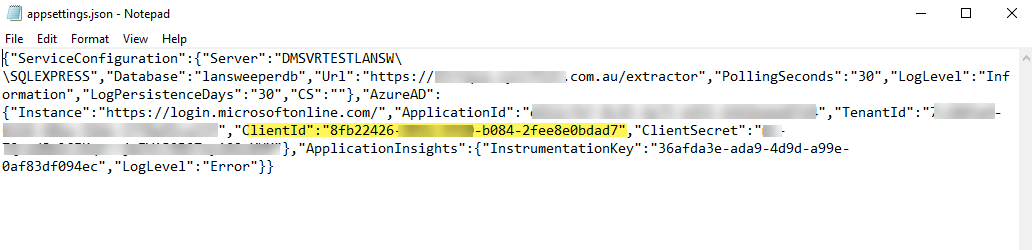
The error Unable to create/update connection because a partial match exists is a result of another server running CI Sync (EE) with the same setup details configured in the appsettings.json file.
On the server with the issue go to C:\Program Files\CISyncAgent and open appsettings.json file and check the ClientID.
Fix
The solution is another Application registration is required because you cannot run two (2) CI Sync (EE) instances that are registered to the same Enterprise App Registration.
-
Create a second Enterprise App Agent registration
-
Update the appsettings.json file with the new ClientID and Secret.
-
Start the service.
-
Check the log file and then refresh the browser and the source connector server should now be registered.
Related Articles
There are currently no related articles.
Control Information
|
Created |
|
|---|---|
|
Reviewed |
|
|
Data Classification |
PUBLIC
|