
Error experienced
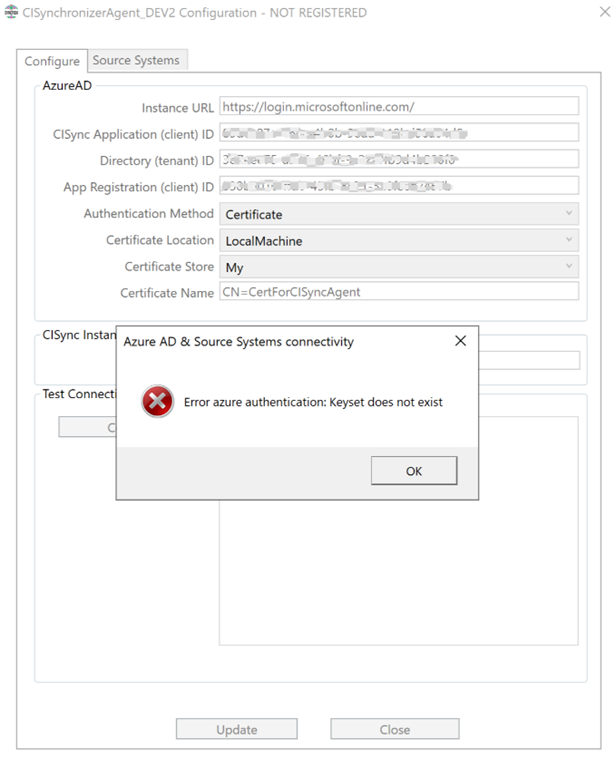
When using CI Sync Agent Configuration utility to validate a connection the following error occurs:
Error azure authentication: Keyset does not exist
Error verification
Cause
This error can occur when you use the CI Sync Agent Configuration utility to test a connection which is using a new Digital Certificate (i.e. one that hasn’t been previously validated).
This can happen for two main reasons:
Cause 1 - The Digital Certificate was imported into the Current User Certificate Store rather than the Local Machine Certificate Store.
Cause 2 - The CI Sync Agent user account (i.e. the user account used by the CI Sync Agent Windows Service) does not have sufficient permission to access the certificate store.
Fix
Two possible fixes are available below:
Fix 1
-
Reimport the Digital Certificate into the Local Machine Certificate Store (and delete it from the Current User Certificate Store).
Fix 2
-
Open Microsoft Management Console
-
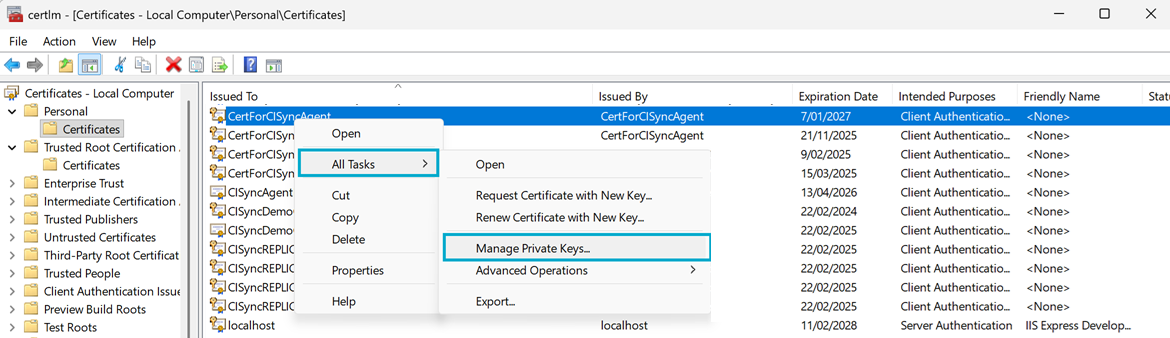
Navigate to Certificates - Local Computer → Personal → Certificates
-
Right mouse click on the installed certificate and select All Tasks → Manage Private Keys
-
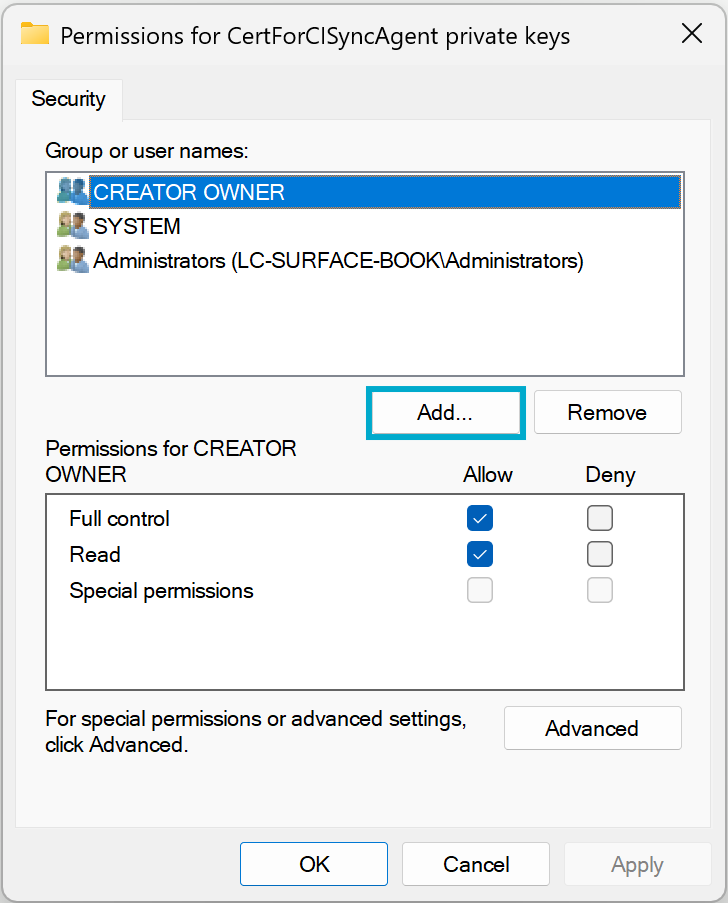
On the permissions window, click on the Add… button
-
Search for Users, locate the CI Sync Agent User (e.g. lsagent), press Check Names.
Then press the OK button.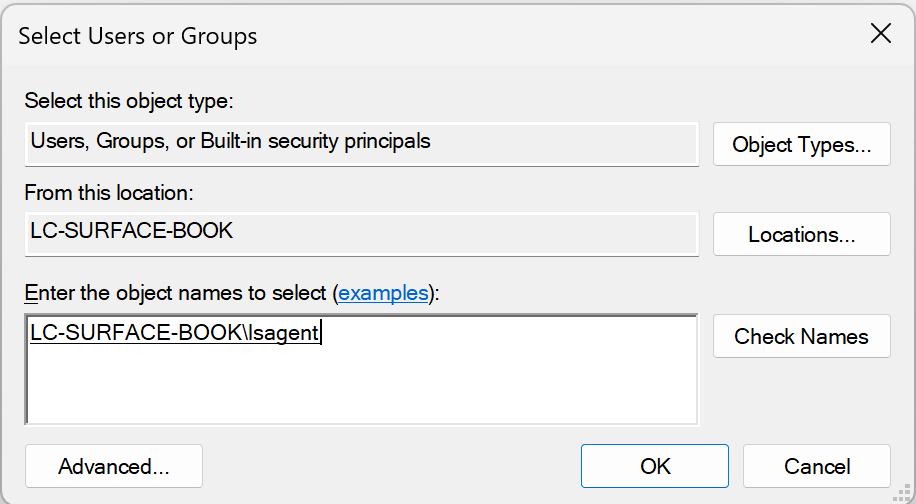
-
Back on the permissions window, make sure Full control and Read are ticked.
Then click Apply and then OK.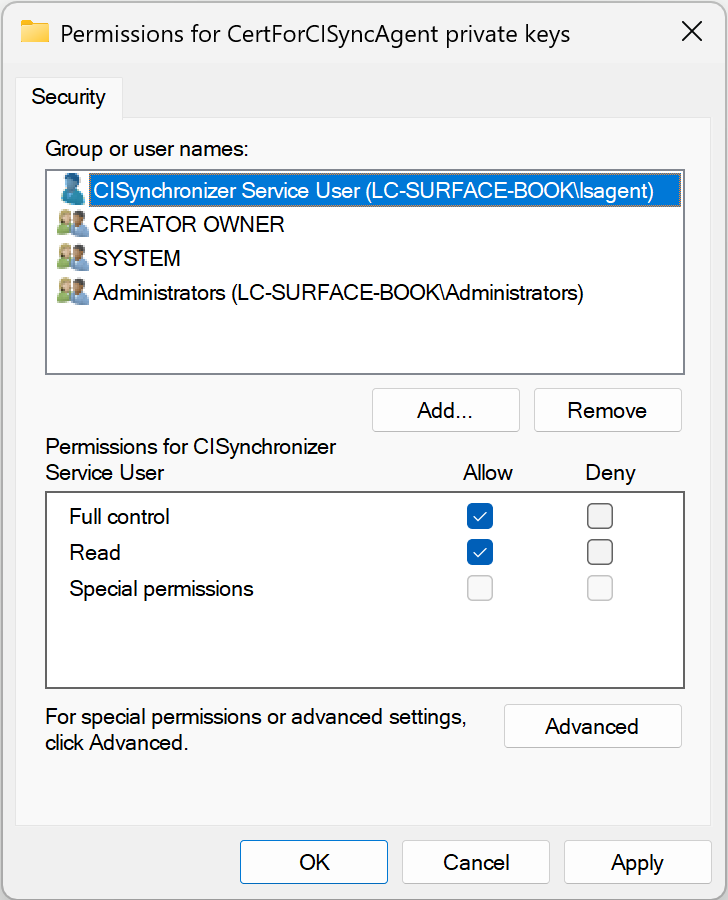
-
Back on the Agent Configuration utility, test the connection which should now be authenticating correctly.
Related articles
https://support.syncfish.com.au/cs/ckb043-troubleshoot-cisync-agent-configuration-con
Control Information
|
Created |
|
|---|---|
|
Reviewed |
|
|
Data Classification |
PUBLIC
|