
Aim
Setup notifications to an email address to advise on the results of synchronization jobs.
Process
Go to your instance and Log in
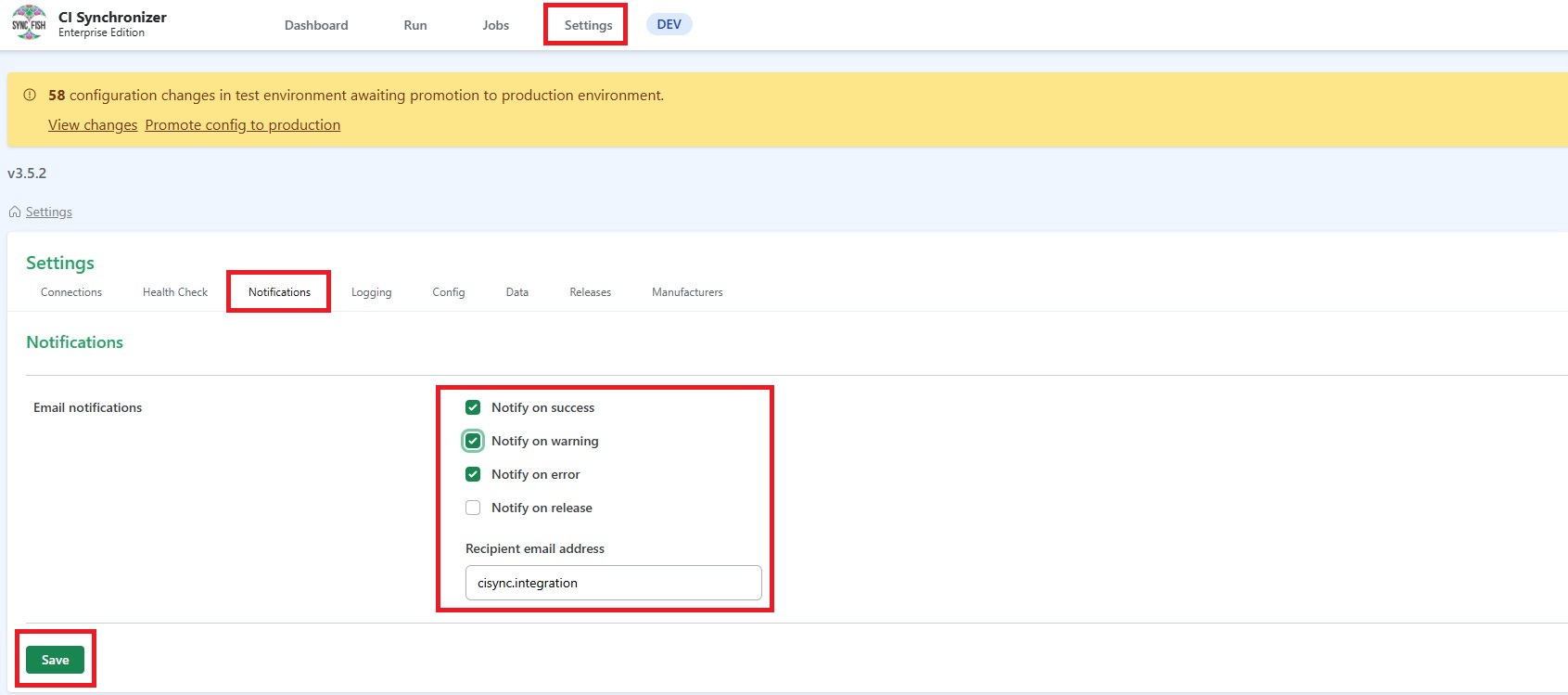
Click Settings and then Notifications
Select one or more of the available options
-
Notify on success. Receive an email when a job completes successfully.
-
Notify on warning. Receive an email when a job completes successfully but there is a warning message.
-
Notify on error. Receive an email when a job fails with an error message.
Enter the Recipient email address
Click Save
Related Articles
N/A
Control Information
|
Created |
|
|---|---|
|
Reviewed |
|
|
Data Classification |
PUBLIC
|