
Aim
This process defines the steps required to prepare and clean up a ServiceNow and CI Sync (EE) instance if the Lansweeper database has been deleted and a new database created.
Process
When the Lansweeper database has been deleted and you create a new blank Lansweeper database or you have reinstalled Lansweeper completely it is critical to clean up CI Sync (EE) and ServiceNow before performing any sync of the data using CI Sync (EE) or data within Service Now can be corrupted.
Do not perform any CI Sync (EE) full or delta syncs of data once Lansweeper is operational again until the below steps have been performed and Syncfish have confirmed it is OK to proceed.
Syncfish - Tasks to be performed
-
Contact Syncfish and notify them of what has been done with Lansweeper.
-
Syncfish will perform background tasks and notify you of what the next steps will be.
Customer - Tasks to be performed
-
Stop or Pause any CI Sync Schedules that are currently active.
-
Login to the SQL Server hosting the Lansweeper database with SQL Server Management Tools.
If you’re not sure of the name of your Lansweeper database and you are running the LSAgent as an installed windows service, the SQL Server connection properties are located in the file C:\Program Files\CISyncAgentLansweeper\appsettings.json
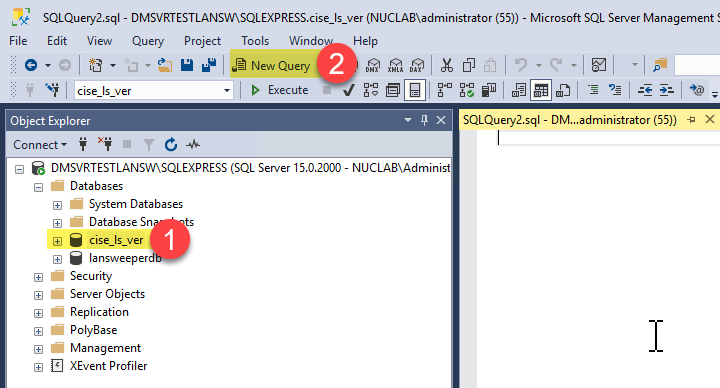
2. Select the cise_ls_ver Database and open a New Query
-
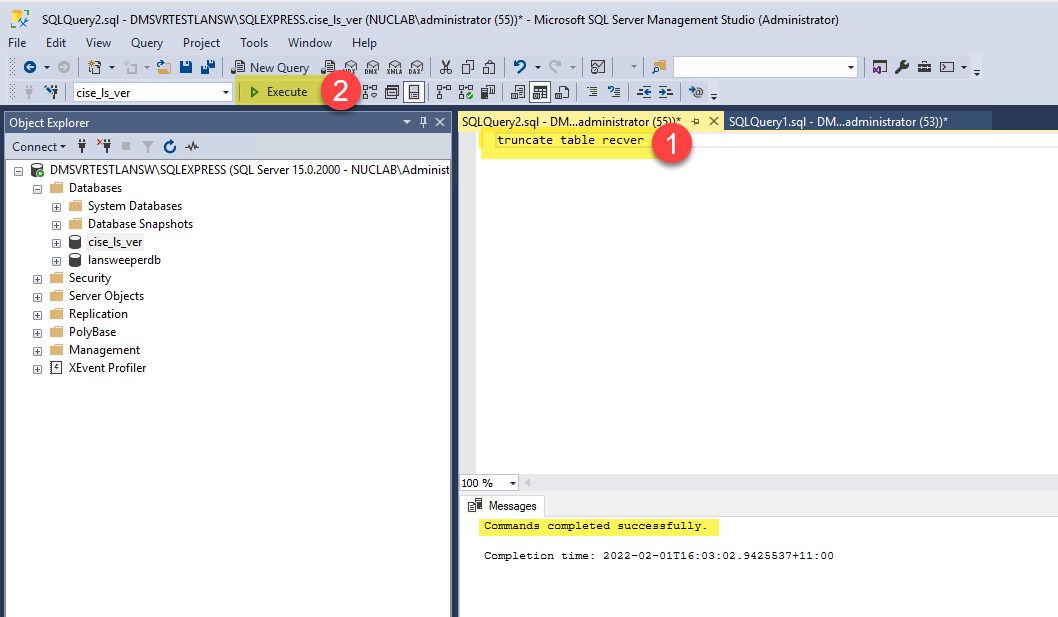
Run the below Query/s to clear out the recver data for the old Lansweeper database
-> If there is only one value for one Lansweeper Database run below Query
truncate table recver
-
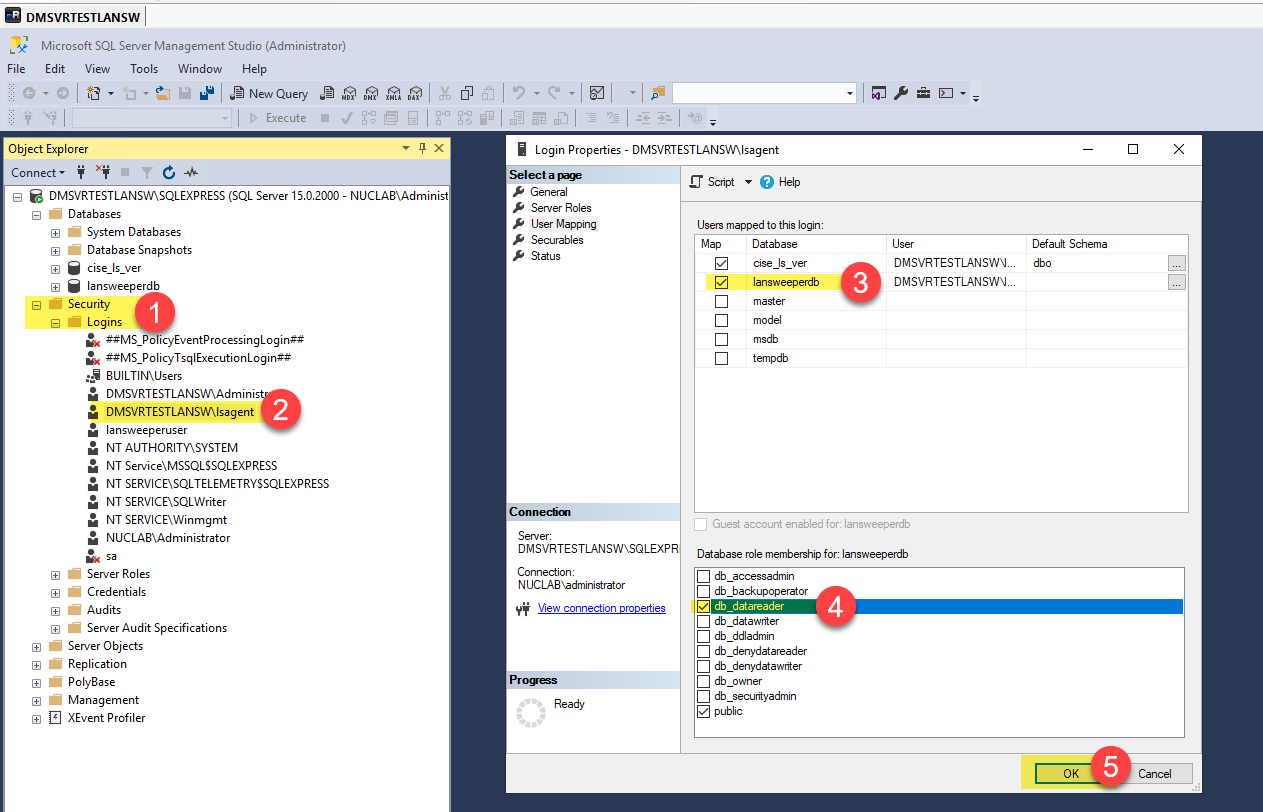
In SQL Server Management you will also need to add the local account CI Sync (EE) is using for the lsagent to the Lansweeper Database as dbreader.
-
Full Sync - Once confirmed by Syncfish that it is safe to proceed a CI Sync (EE) - a full Asset sync can be performed and then ServiceNow checked to ensure the data has been synced from Lansweeper to ServiceNow properly.
Please do not proceed with any syncs from Lansweeper to ServiceNow using CI Sync (EE) until you have been approved to by Syncfish. This will prevent issues with data in ServiceNow
-
Re-enable any schedules that were paused earlier
Related Articles
There are currently no related articles.
Control Information
|
Created |
|
|---|---|
|
Reviewed |
|
|
Data Classification |
PUBLIC
|