
Aim
This article explains how to test a CISync update payload submission against ServiceNow
If you run a sync job and the value/s from the source system don’t populate the ServiceNow field/s as expected you can use REST API Explorer to attempt to update the field/s.
Process
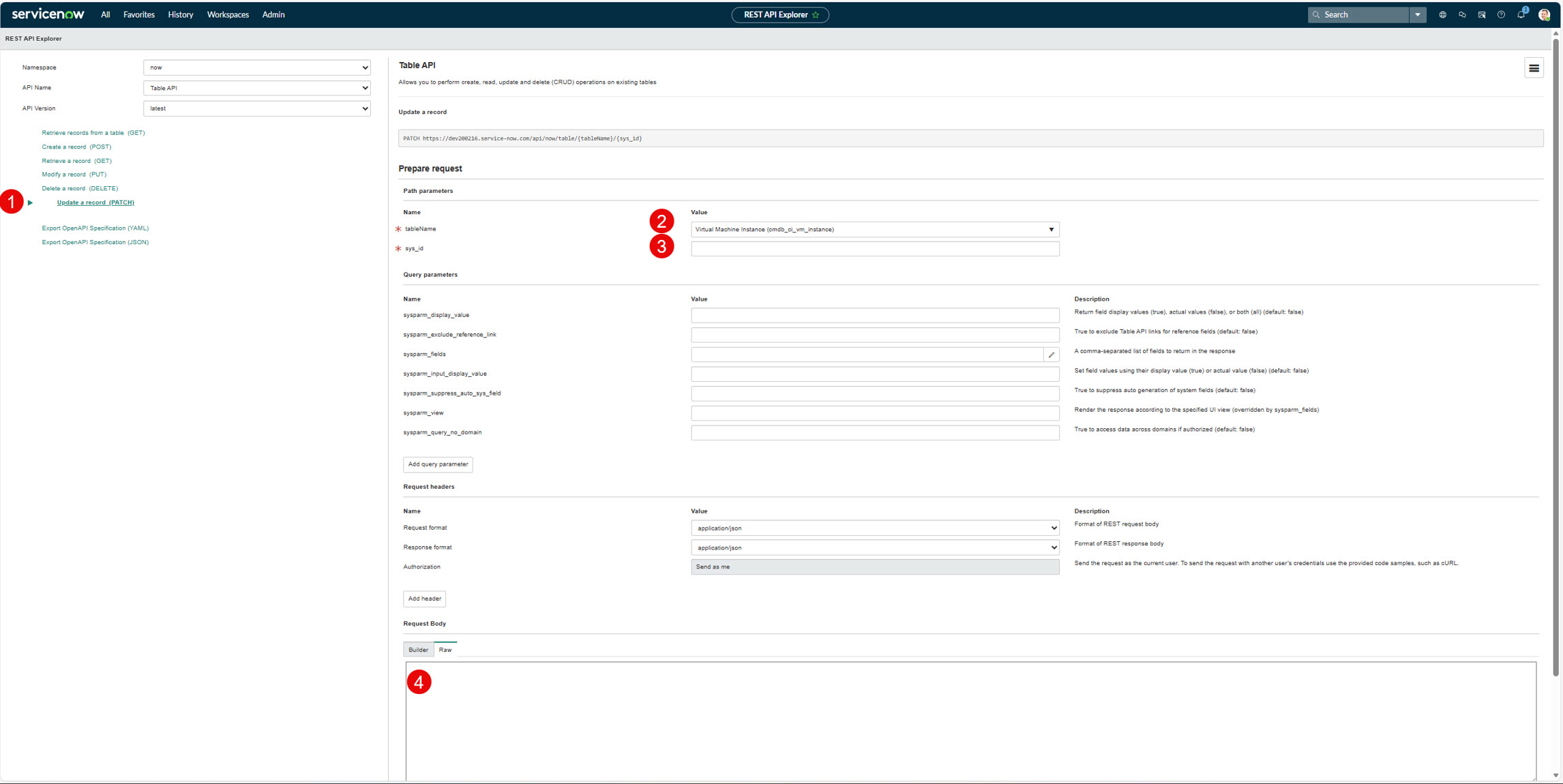
As a ServiceNow system admin navigate to the REST API Explorer
-
Select "Update a record (PATCH)"
-
Select the table (in this example cmdb_ci_vm_instance)
-
Enter the sys_id of the record to update (this will be the Destination Key on the record in the CI Sync job)
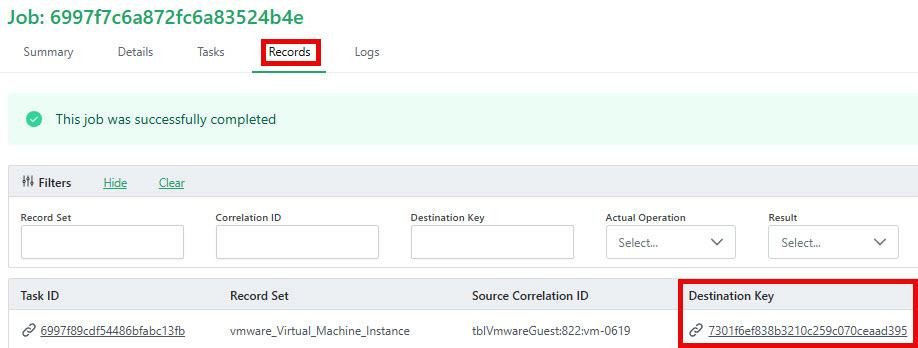
-
Enter the "Raw" payload. This will be the Transformed Payload from the CISync record Task ID. i.e. you copy the Transformed Payload for the record then paste it into the field in the Raw tab.
Then click Send
This will submit the payload in the context of the current user (i.e. an Admin user, which bypasses many ACLs).
If this submission works, but CISync is not working, try again impersonating the Integration User, e.g. cisync.integration. But first:
-
Find the Integration account and open it.
-
Then verify the cisync.integration user does NOT have the "Internal Integration User" enabled:
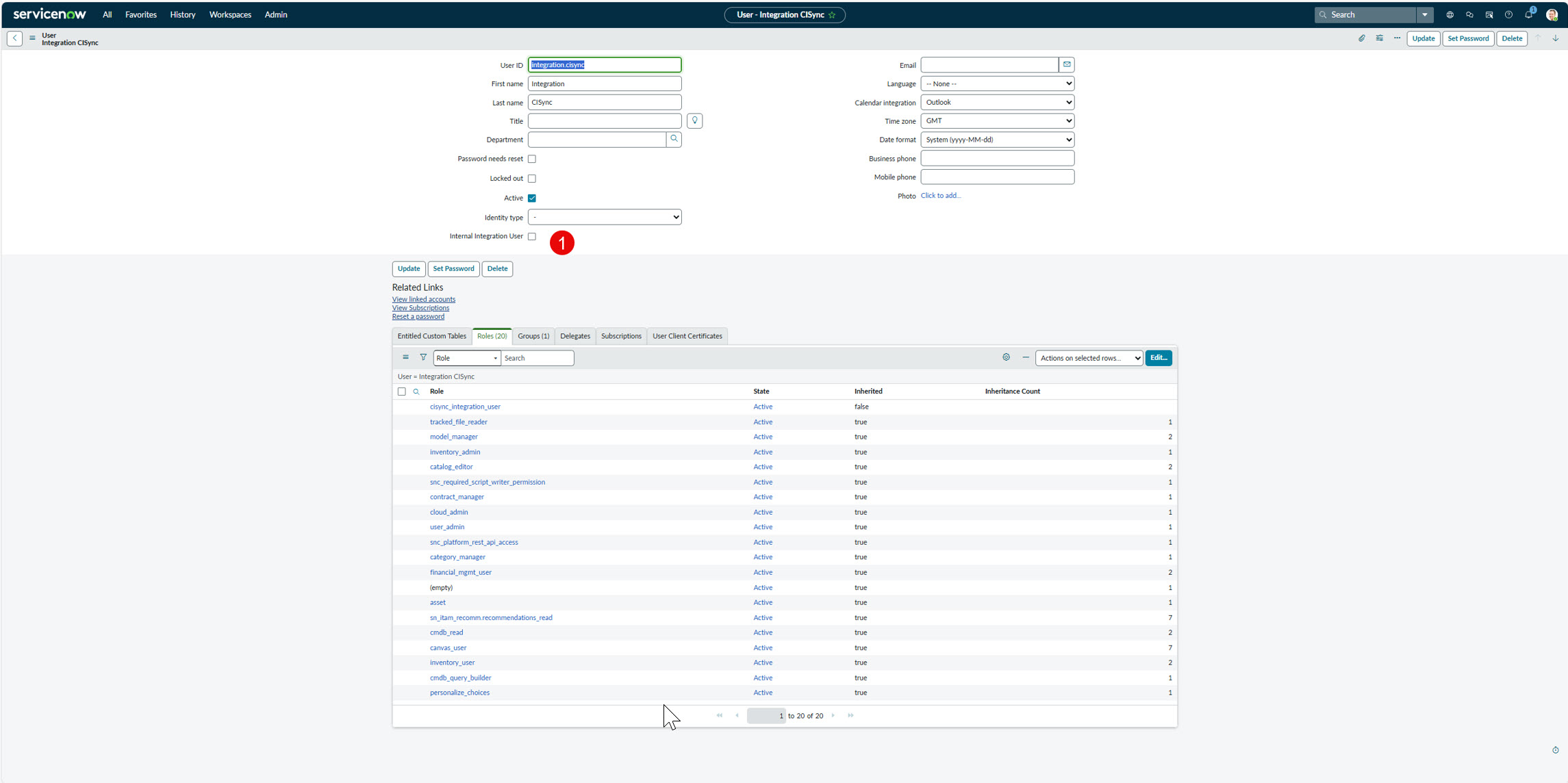
Then add the "rest_api_explorer" role to the cisync.integration user (to allow the Integration user to run REST API Explorer)
Click Edit.
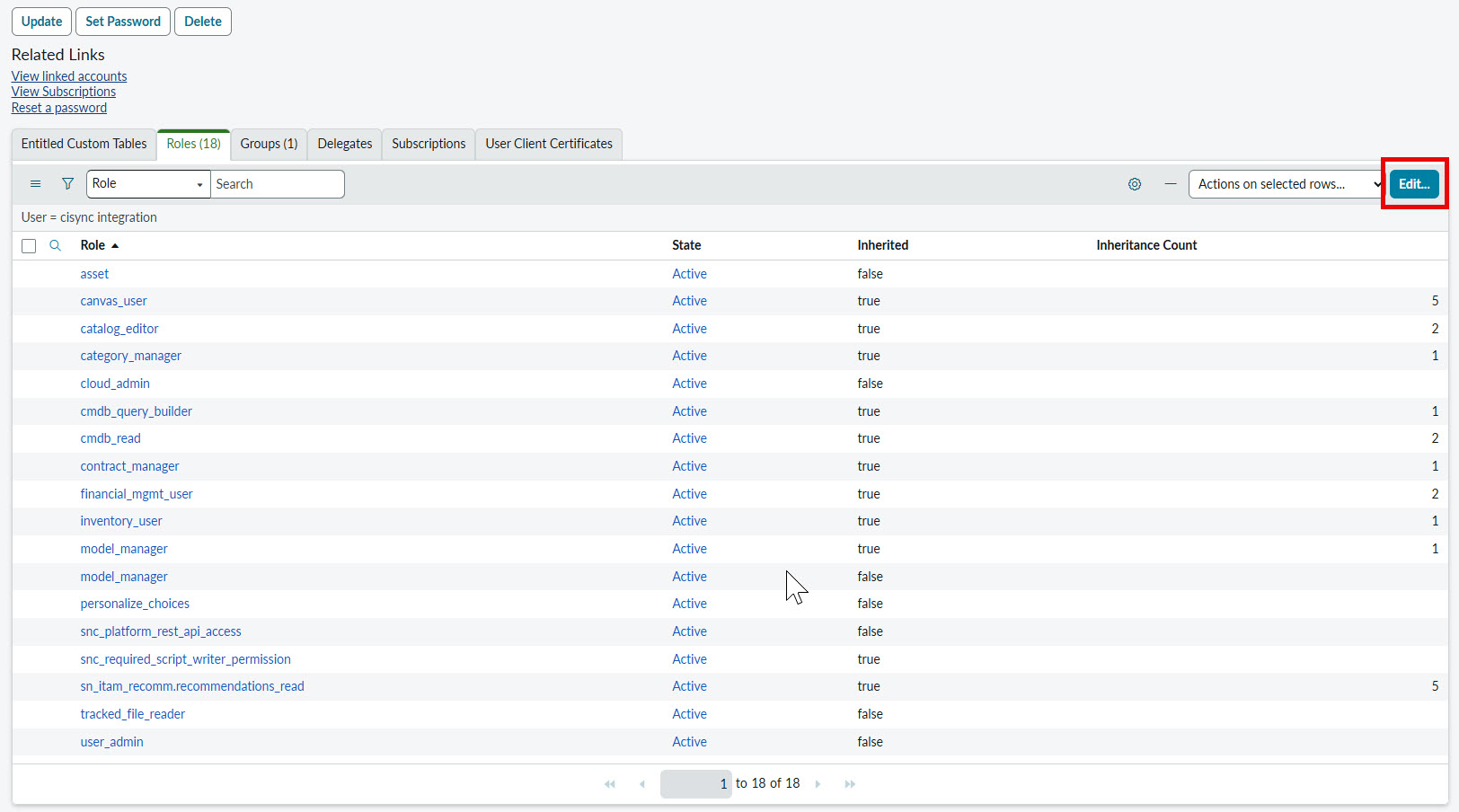
Type Rest in the Collection search box. Click rest_api_explorer to highlight it. Click the right arrow to add the role.
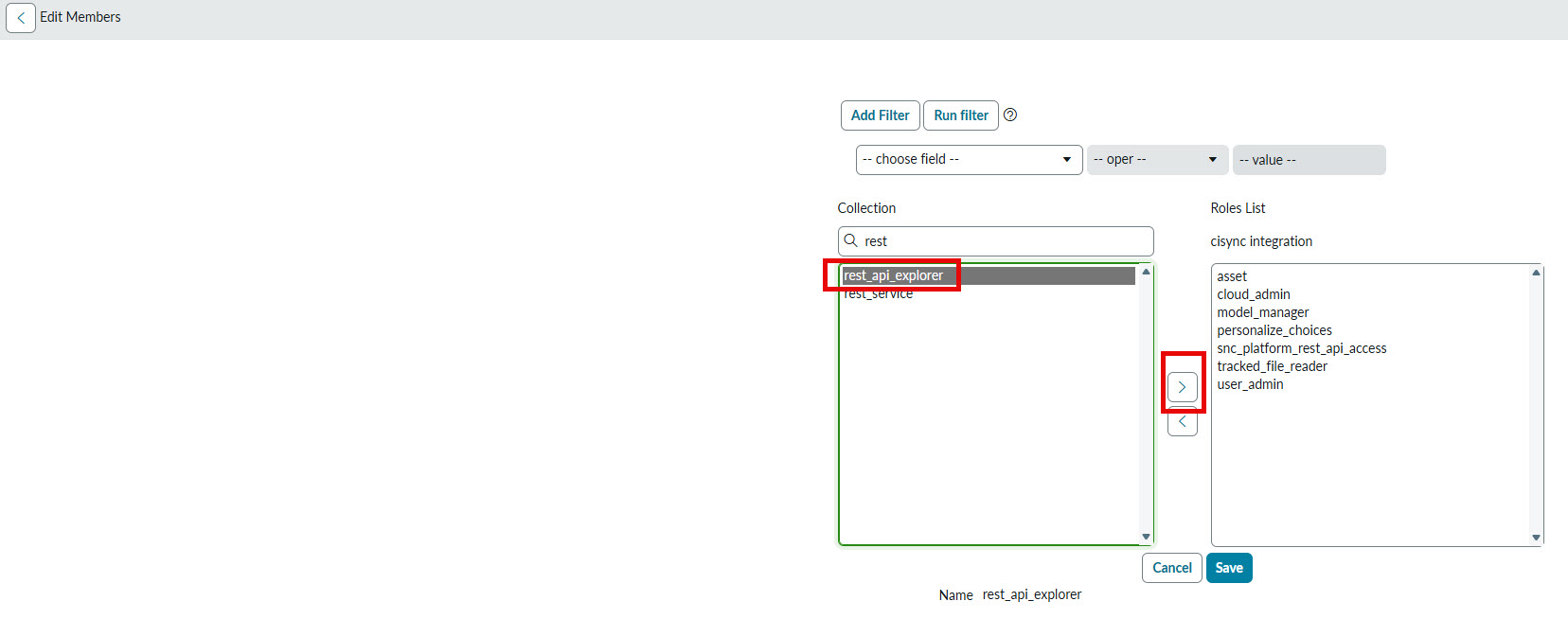
Click Save
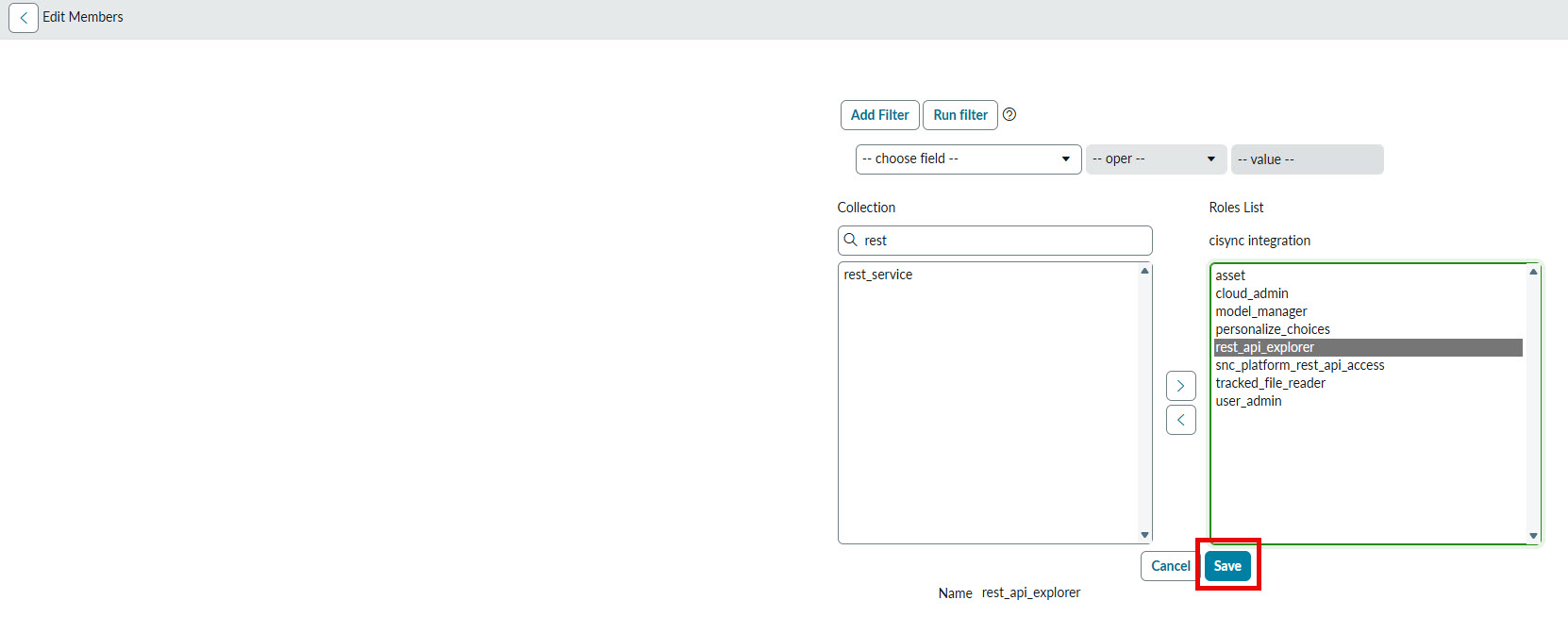
Then:
-
Impersonate the "cisync.integration" user.
-
Repeat the steps carried out against the REST API Explorer defined above.
Related Articles
N/A
Control Information
|
Created |
|
|---|---|
|
Reviewed |
|
|
Data Classification |
PUBLIC
|