
Rule Synopsis
These are the rule/s that control whether CI Sync automatically creates/inserts new CMDB Group Records (or not) into the ServiceNow cmdb_group table.
Rule Details and Default
For existing Syncfish customers up to June 2026
-
By default, CI Sync does create/insert new records in the ServiceNow cmdb_group table when an incoming Lansweeper static Asset Group cannot be matched to an existing record in the table.
-
Note: The above behaviour is in addition to CI Sync automatically creating records in the cmdb_group_contains table within ServiceNow. The cmdb_group_contains table stores the many-to-many records that link the CI itself to the related groups in the cmdb_group table.
For NEW Syncfish customers from July 2026 and onwards
-
By default, CI Sync does not create/insert new records in the ServiceNow cmdb_group table.
Override Options
Context
For existing Syncfish customers up to June 2026
Customers may consider overriding the default rule so that CI Sync does not add new records to the CMDB Group table include static asset groups read from Lansweeper.
For NEW Syncfish customers from July 2026 and onwards
-
By default, CI Sync does create/insert new records in the ServiceNow cmdb_group table.
Options
For existing Syncfish customers up to June 2026
-
This Data Sync Rule can be overridden so that CI Sync does not create/insert new cmdb_group records.
For NEW Syncfish customers from July 2026 and onwards
-
This Data Sync Rule can be overridden so that CI Sync does create/insert new cmdb_group records.
Overriding via Connection Settings
Customers can perform the override using a “Connection Setting” via the CI Sync User Interface (i.e. customers can perform the overrides themselves). Additional information for this is available via the following documentation:
-
For a general overview of CI Sync Connection Settings please read Understanding the use of CI Sync Connection Settings.
-
For the specific CI Sync Connection Setting/s related to the rule described on this page please read Asset Group synchronization for Lansweeper On-Prem.
For documentation on all CI Sync Connection Settings please visit the page tree Connection Setting Guides.
Additional Information
This entire topic is only applicable if all the following are true/relevant:
-
You are using the Static Asset Groups feature in Lansweeper.
-
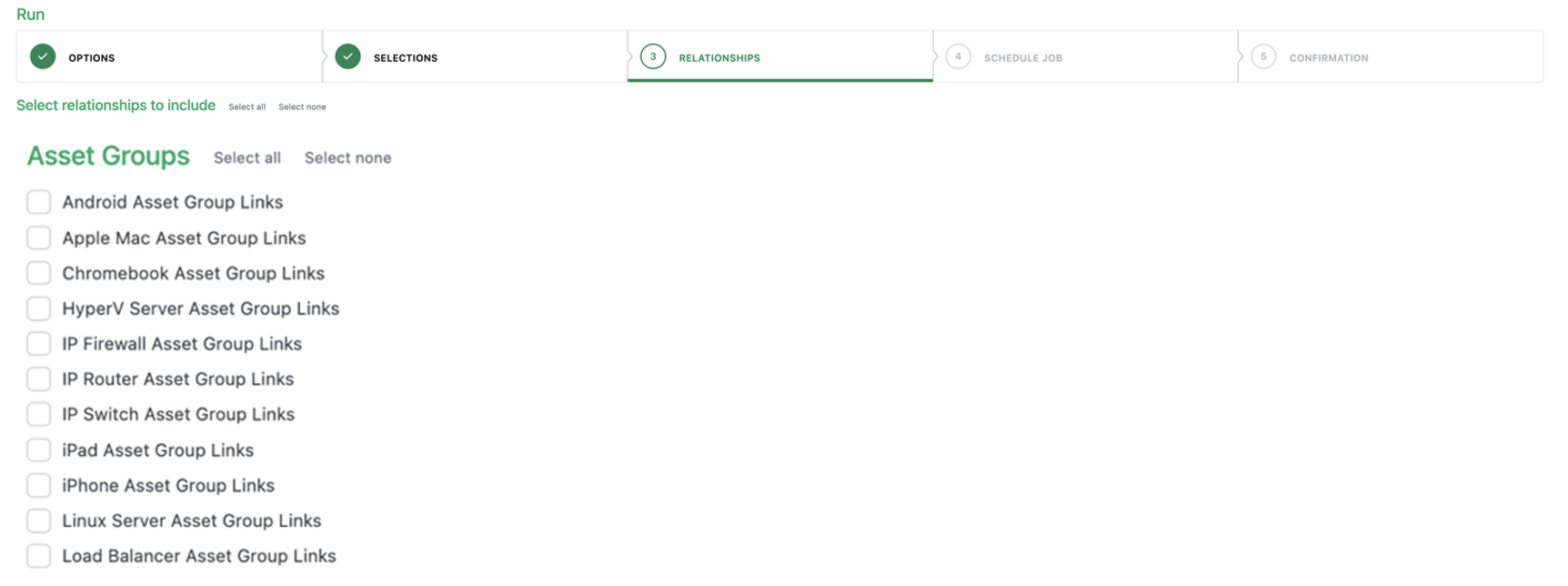
You have selected “Asset Groups” in the Relationships step when creating a new sync job (see below).
Related Rules
N/A