
Error experienced
“No scheduled jobs / the scheduled date has been reached.”
Error verification
The schedule has a status of “FINISHED”
Cause
Previously schedules required an end date and would update with a status of “FINISHED” once that date had been reached.
Fix
Remove the end date of those schedules and reactivate them:
-
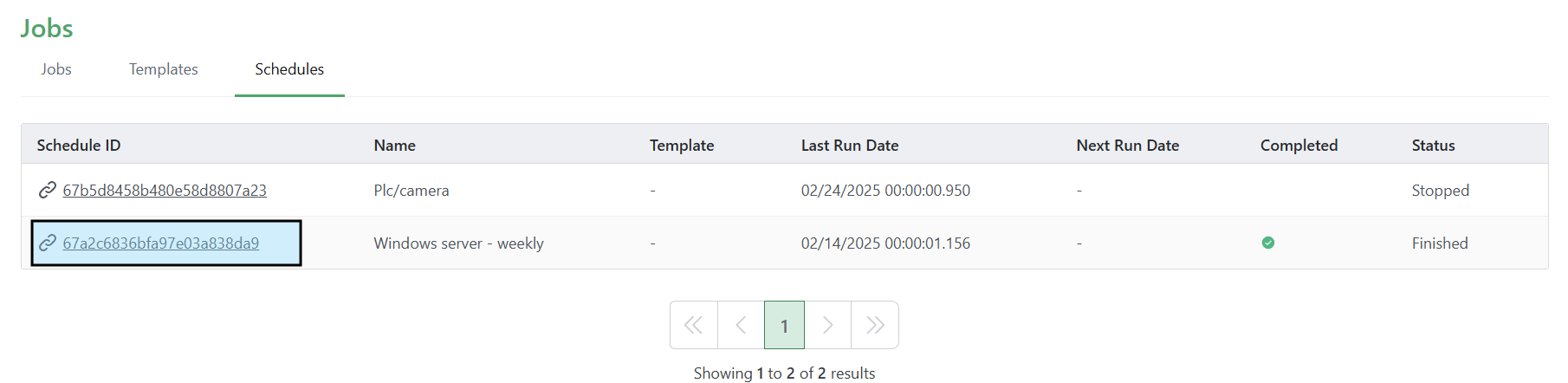
From the CI Sync Jobs page, select the Schedules tab and click the Schedule ID of the finished schedule.
-
Click Update schedule in the top right of the Schedule.

-
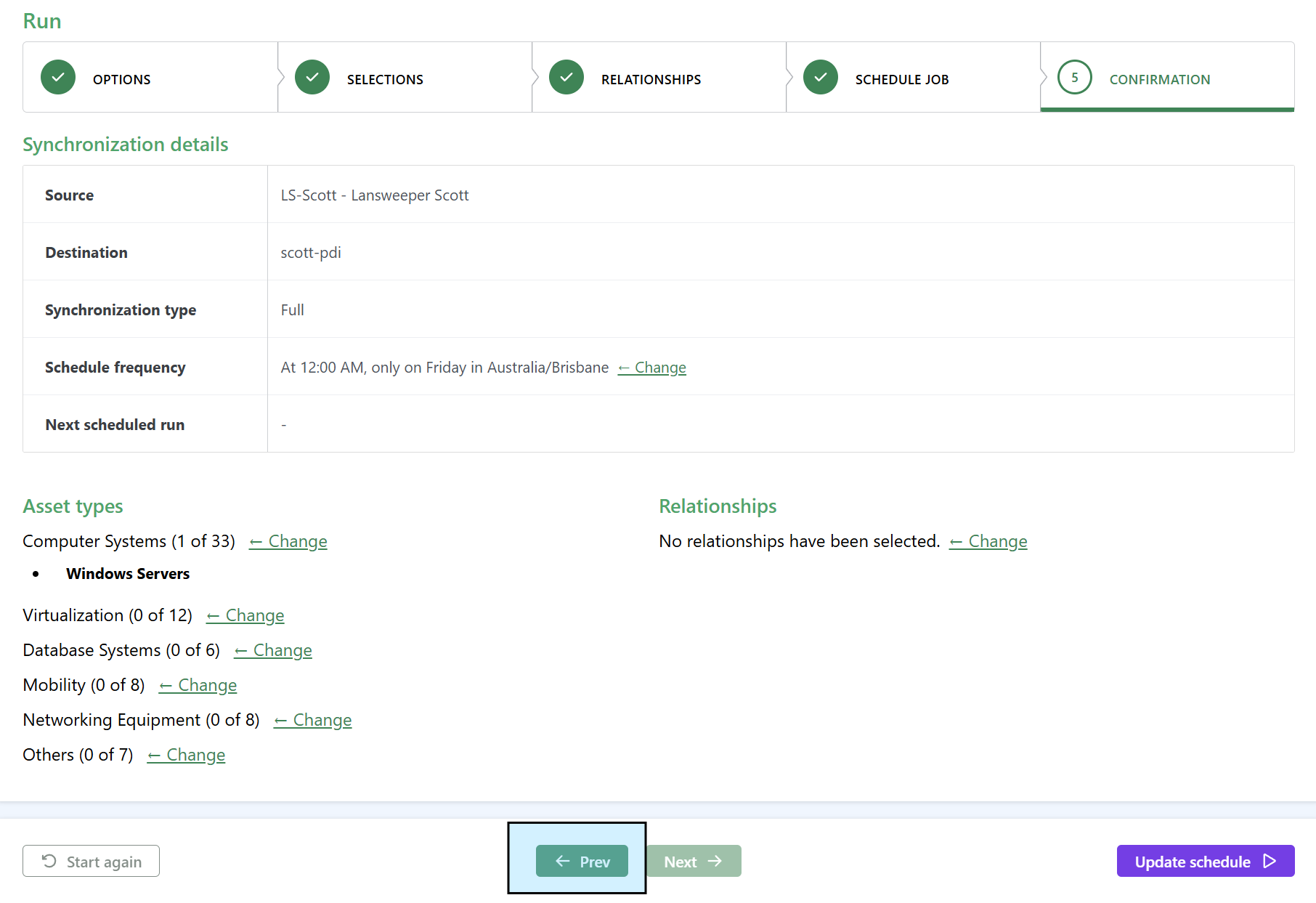
Click Prev at the bottom of the schedule.
-
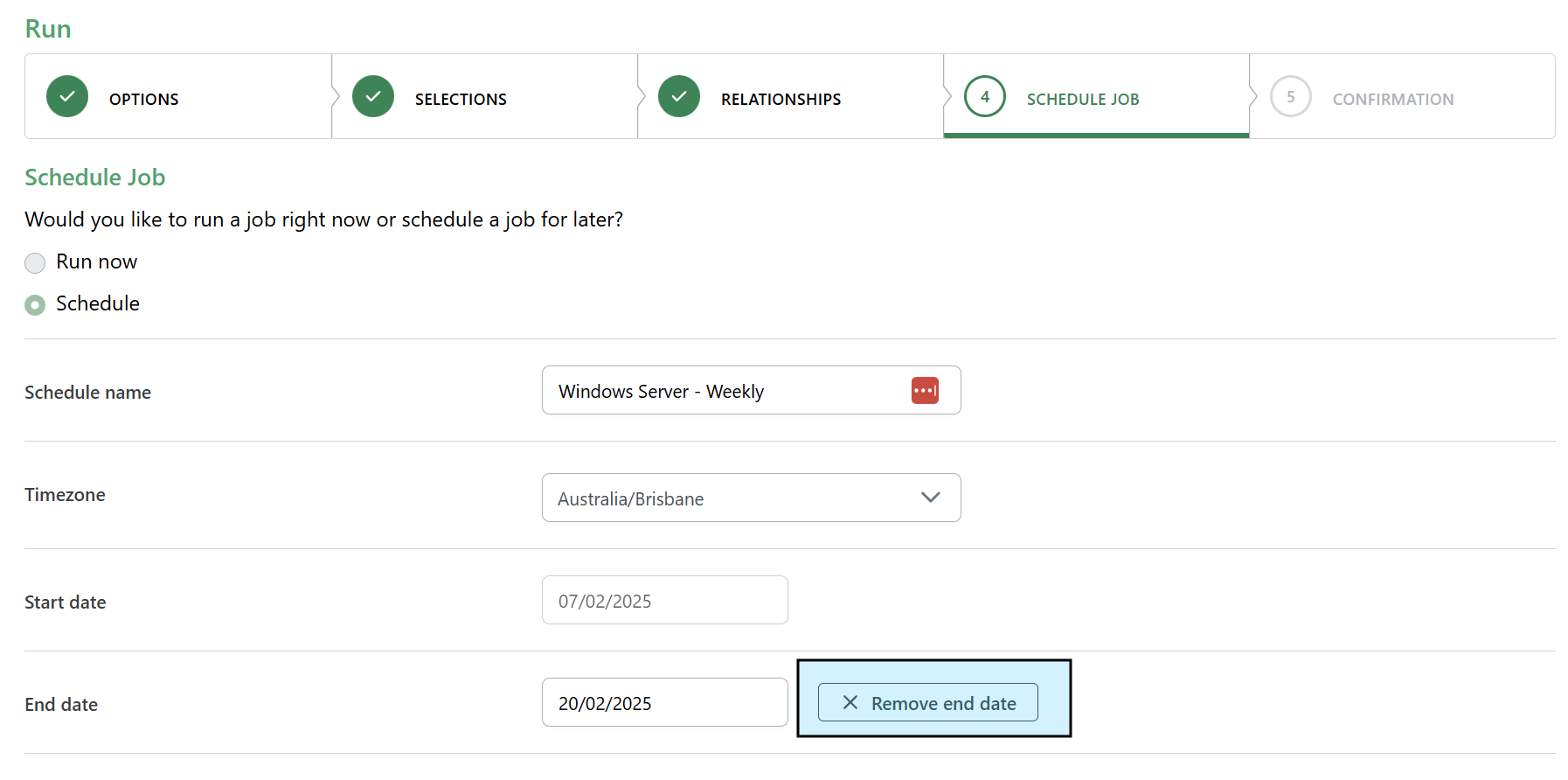
Click Remove end date
-
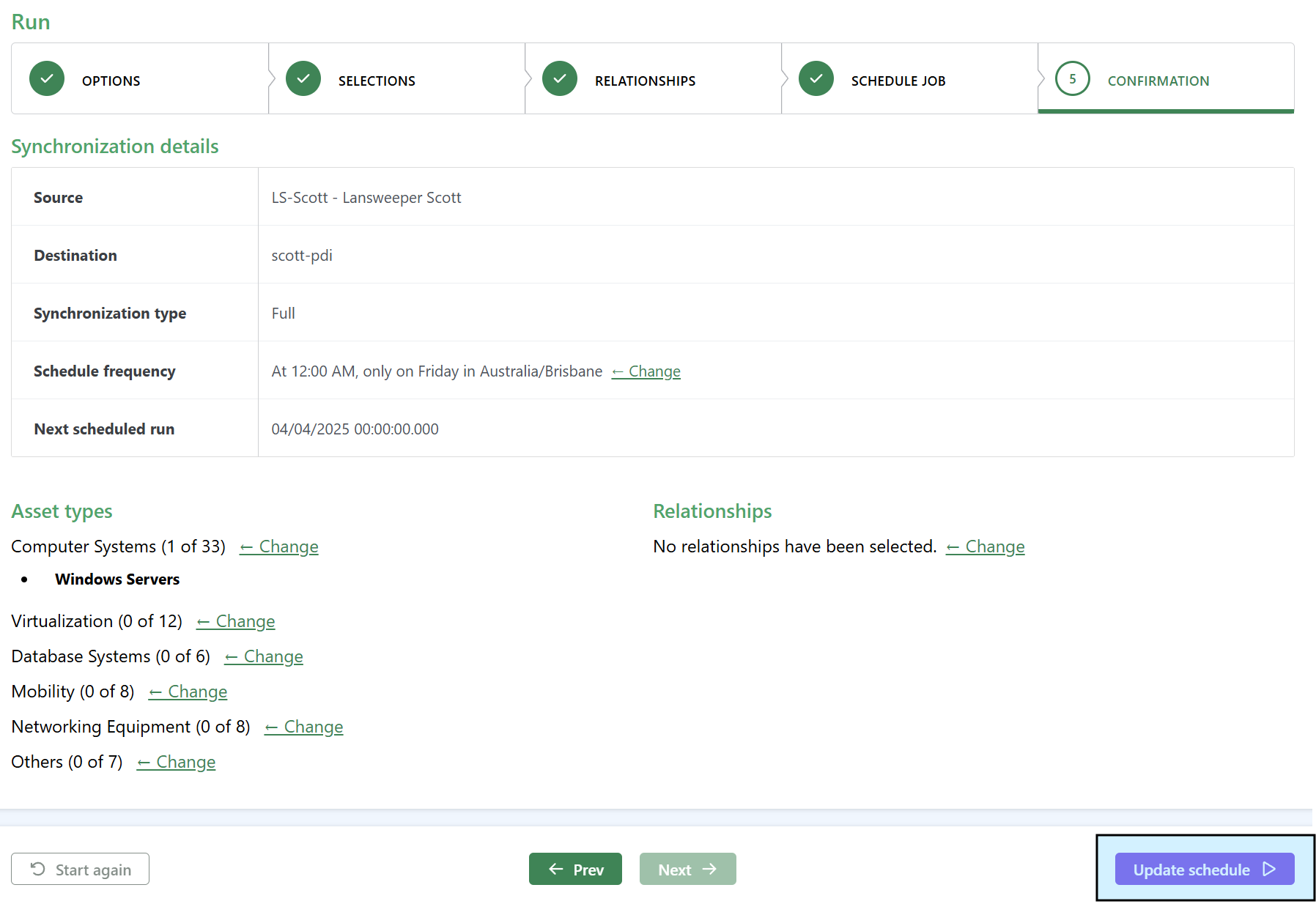
Click Next to get back to the 5. Confirmation tab. Click Update schedule.
Fix verification
On the Job page on the Schedules tab, the modified schedule will now have a status of Active.

Navigating to the individual schedule page there is not an end date value under “Schedule information” on the left-hand side
Related articles
There are currently no related articles.
Control Information
|
Created |
|
|---|---|
|
Reviewed |
|
|
Data Classification |
PUBLIC
|