
Aim
There may be some instances in which data for a destination connection needs to be cleared. For example, after cloning a ServiceNow Production instance to a Dev/Test instance.
CI Sync destination connections for Test environments can have their Ignored Records, Searchkeys, and Mappingscleared from CI Synchronizer.
If data needs to be cleared from connections for Production environments, please Contact Us.
Process
Clearing Data
-
Navigate to Settings and open the Data tab.
-
Destination connections and record counts should be displayed.
-

-
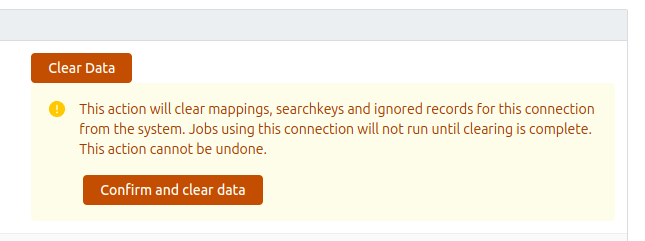
Click Clear Data. You will then be prompted to confirm data deletion
-
This will remove
MappingsSearchKeysandIgnored Recordsfrom CI Synchronizer. -
Jobs using this connection will NOT run until clearing is complete.
-
-
Once confirmed, the system will begin deleting data.
-
The record counts on the page will update periodically as the deletion progresses
-

CI Sync does NOT implement Search Keys for Software Instance (cmdb_software_instance) or Patch (cmdb_ci_patches) recordsets. If you clear the mapping records from CI Sync while records remain in the cmdb_software_instance or cmdb_ci_patches tables, CI Sync won’t correlate to these existing records and duplicates may get created in ServiceNow.
To avoid this, clear out any cmdb_software_instance and cmdb_ci_patches records from ServiceNow.
Related Articles
There are currently no related articles.
Control Information
|
Created |
|
|---|---|
|
Reviewed |
|
|
Data Classification |
PUBLIC
|