
Aim
This article outlines testing that CI Sync has the correct permissions access to read and write to ServiceNow.
Process
Test Access
-
Go to your instance and Log in
-
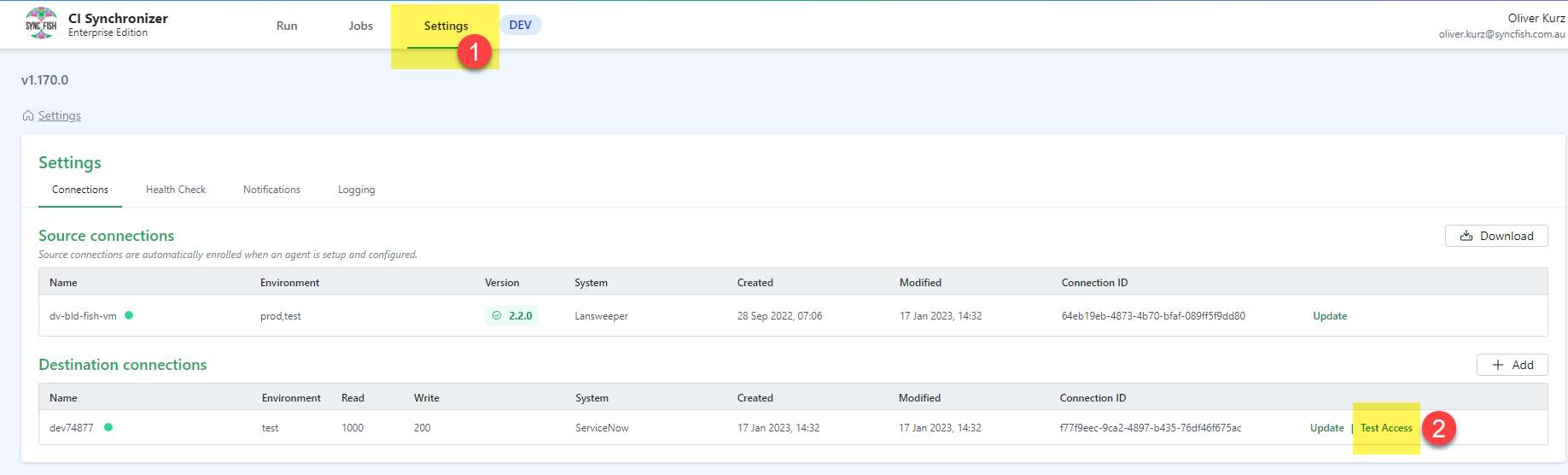
Click Settings and then Test Access
-
Select the source system and click the Run button
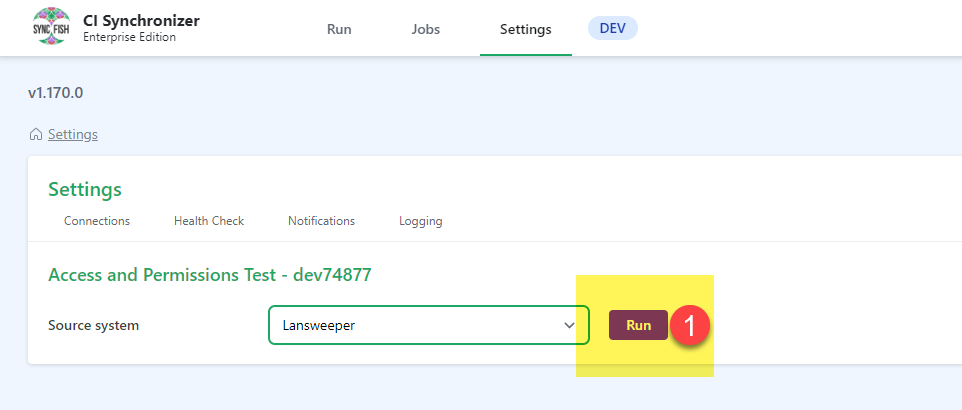
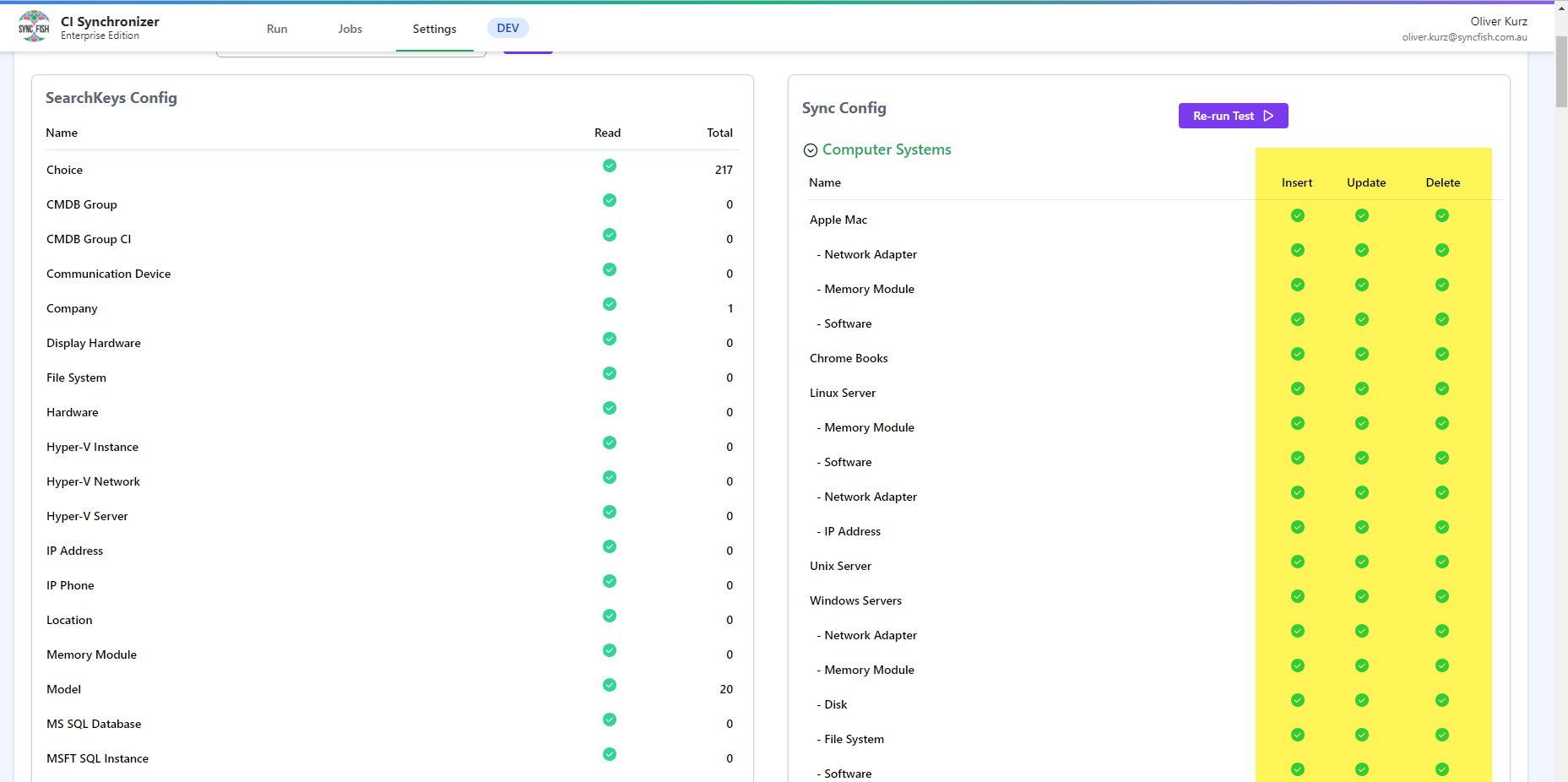
This will verify that CI Sync has read access to the ServiceNow tables required to create the search key values used by the selected source system.
-
Click Confirm & Run
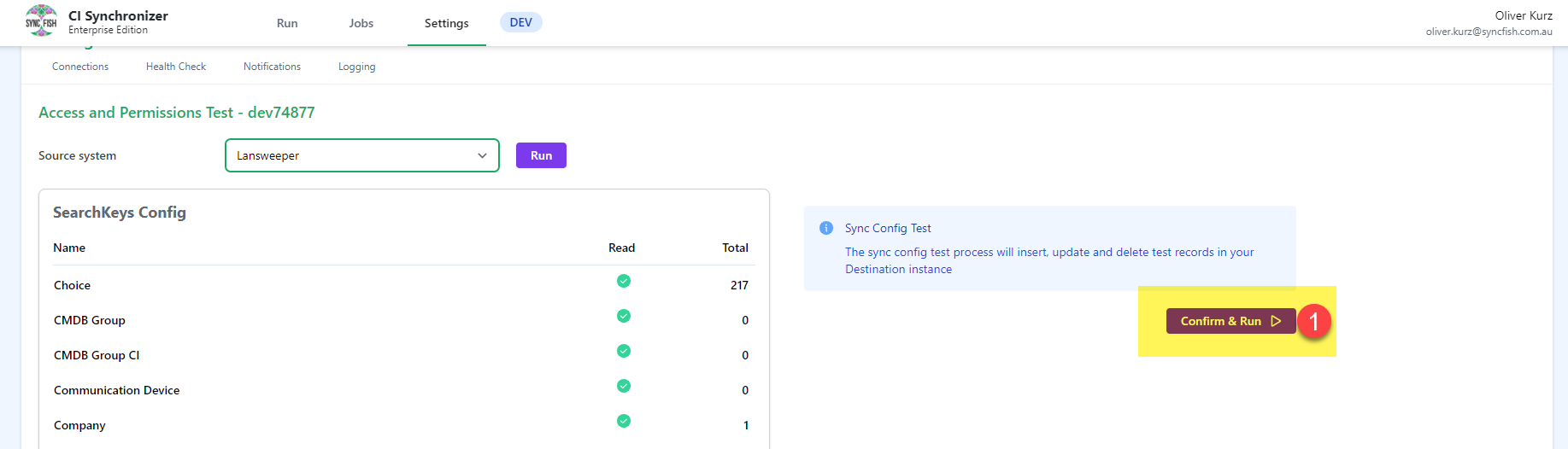
This will verify CI Sync has the required insert, update and delete permissions required to write data into the ServiceNow tables.
-
The tests will run and should show green for Insert, Update and Delete
Troubleshoot
-
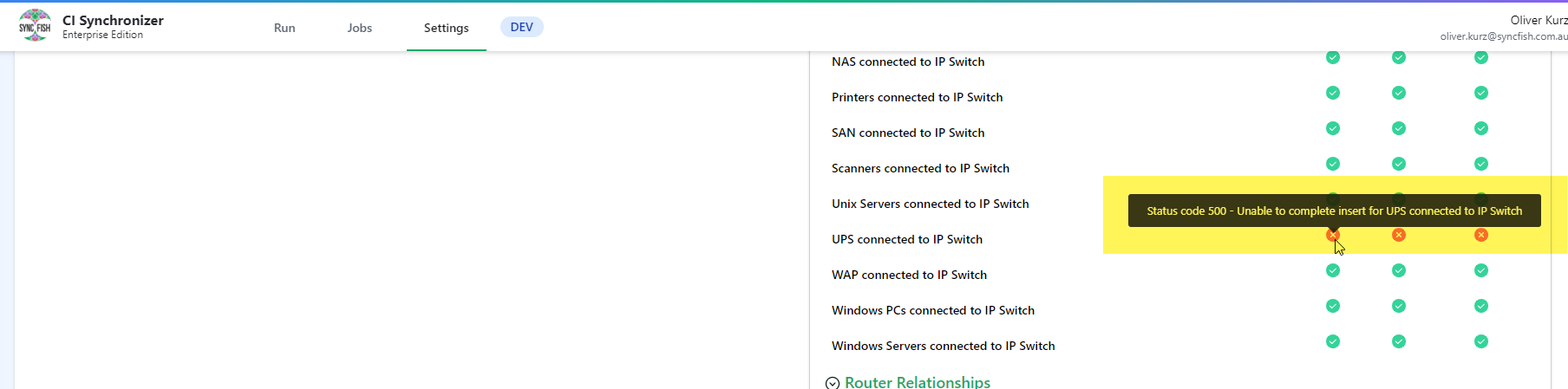
Scroll down and locate if any errors exist hover the mouse over the error and it will show the error message.
-
Take a screenshot of this and request support from Syncfish so we can assist.
Related Articles
There are currently no related articles.
Control Information
|
Created |
|
|---|---|
|
Reviewed |
|
|
Data Classification |
PUBLIC
|