
Aim
ServiceNow Application Service Mapping can be achieved through the entry of Service Numbers against AWS resources using a Tag. This procedure defines how to Tag AWS resources and configure CI Sync to synchronize the Tag values into ServiceNow as relationships to an Application Service to trigger the Application Service Mapping.
Process
The overall process for Application Service Mapping is as follows:
-
In ServiceNow, create an Application Service Record
-
Set the Business Application to relevant Business Application record already in ServiceNow.
-
Set the Service Population Method to “Dynamic Service”
-
Take note of the Service Number that is generated
-
-
In AWS, Populate the Tag for the AWS resource that represents the entry point for the application.
-
In CI Sync, enable Application Service Mapping against the AWS Source connection and configure the name/s of the tag that will contain the Service Number. NB: this is a one-time configuration.
-
In CI Sync, run a synchronization job including the resource/s and the “Application Service Mapping” recordset.
-
CI Sync will create a relationship between the Tagged resource and the Application Service which will trigger ServiceNow to generate the Application Service Map.
-
AWS
Configuration
There is no configuration required in AWS to utilize this functionality. However, the tag name used for defining the Service Number should be consistent.
Setting the Service Number
Set the Service Number value against a Tag. In the following example the Tag name “service_number“ has been used, but any tag name can be utilised.
AWS instructions for setting a Tag are as follows:
-
Open the Amazon console.
-
From the navigation bar, select the Region where the resource is located.
-
In the navigation pane, select a resource type (for example, Instances).
-
Select the resource from the list.
-
From the Tags tab, choose Manage tags.
-
Choose Add new tag and enter a key and a value for the tag.
-
Choose Save.
You can enter multiple comma separated Service Numbers within a given tag. CI Sync will split the comma seprated values when searching for the corresponding Service Numbers in ServiceNow.
CI Synchronizer
Configuration
-
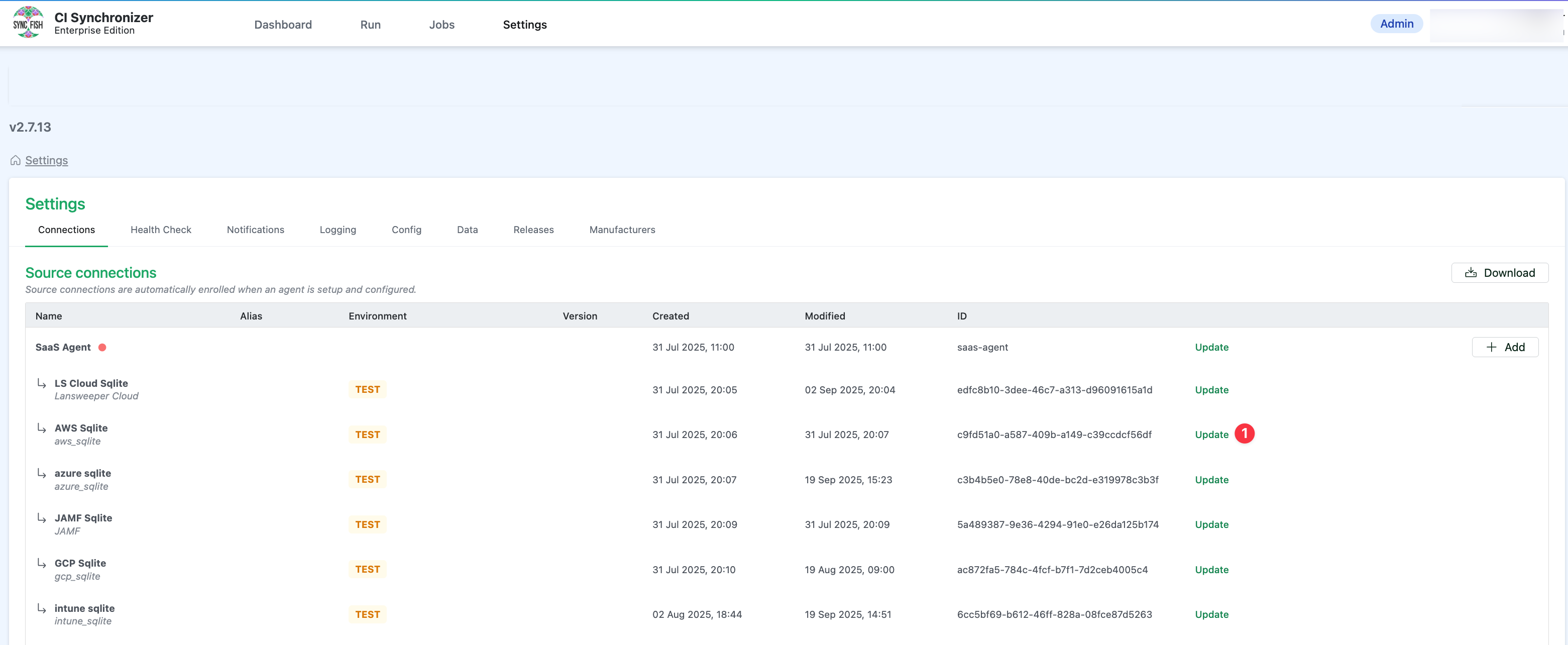
In CI Sync, navigate to settings and locate the source connection that corresponds to your AWS instance and click the Update link:
-
Under the Additional settings section, enable the Application Service Mapping and configure:
-
Service Number Tag RegEx: {a Regular Expression that matches the name/s of the tags in AWS} (e.g. “service_number” will match on tags named “service_number”. e.g. “service_number|service_no” will match on tags named either “service_number” or “service_no”)

-
-
Scroll to the bottom of the screen, tick the confirmation checkbox and click the Save connection button.
Synchronizing
When creating a Sync Job (i.e. a job to cause CI Sync to create Application Service Mapping relationships):
-
Select relevant AWS resources (i.e. those that contain Tags holding Service Numbers) on the Selections page (i.e. on Step 2 “Selections”).
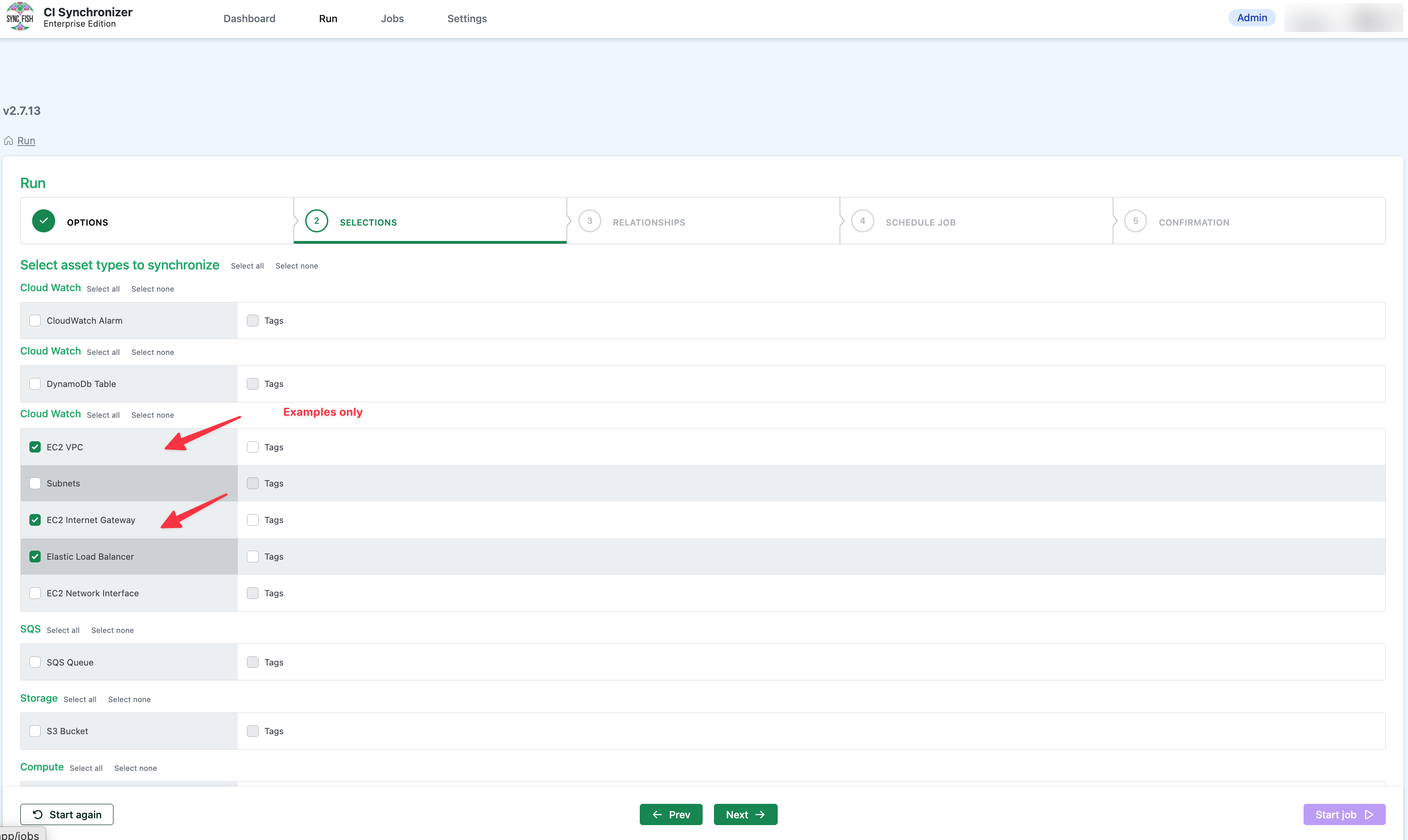
Make sure you also select the recordset/s corresponding to the resources you have entered Service Number values against. If the subject asset hasn’t been previously synchronized, CI Sync will not be able to create the relationship between the asset and the Application Service.
Note: Don’t worry if you synchronize without selecting the correct recordset/s, you can run the job again and any of the application service mapping records that were ignored will be automatically re-processed.
-
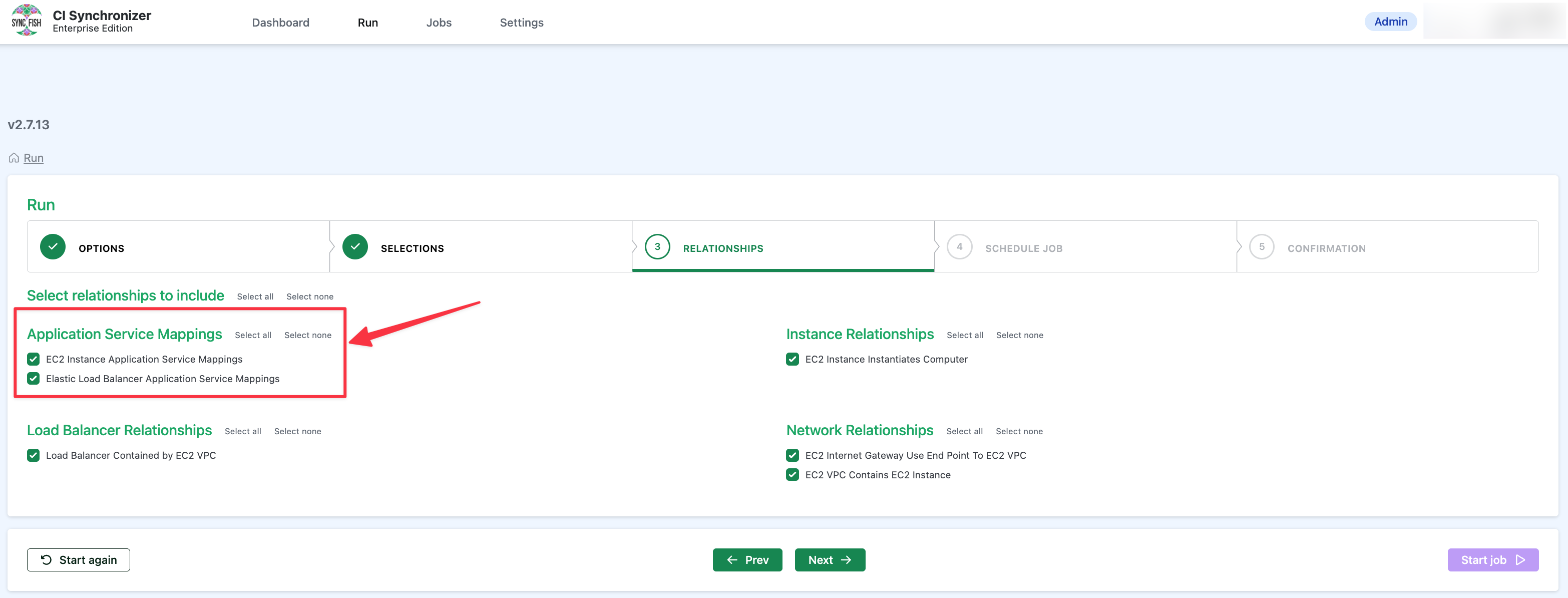
Check the Application Service Mapping relationships are selected (they will be by default) on the Relationships page (i.e. on Step 3 “Relationships”).
Related Articles
There are currently no related articles.
Control Information
|
Created |
|
|---|---|
|
Reviewed |
|
|
Data Classification |
PUBLIC
|