
Error experienced
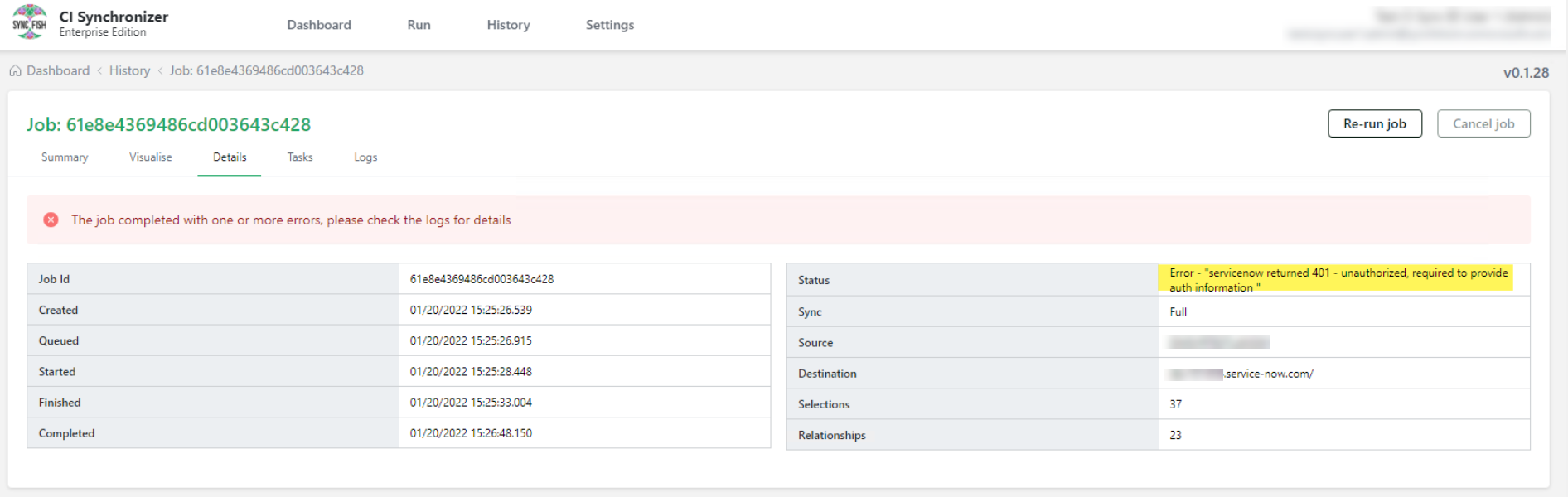
Error - “servicenow returned 401 - unauthorized, required to provide auth information”
Error verification
Cause
This error can be caused by any of the below occurring.
-
Reset of your ServiceNow instance or clone overwriting the existing instance
-
Change to the account used by CI Sync (EE) in ServiceNow or its groups/permissions or account is locked out.
Fix
-
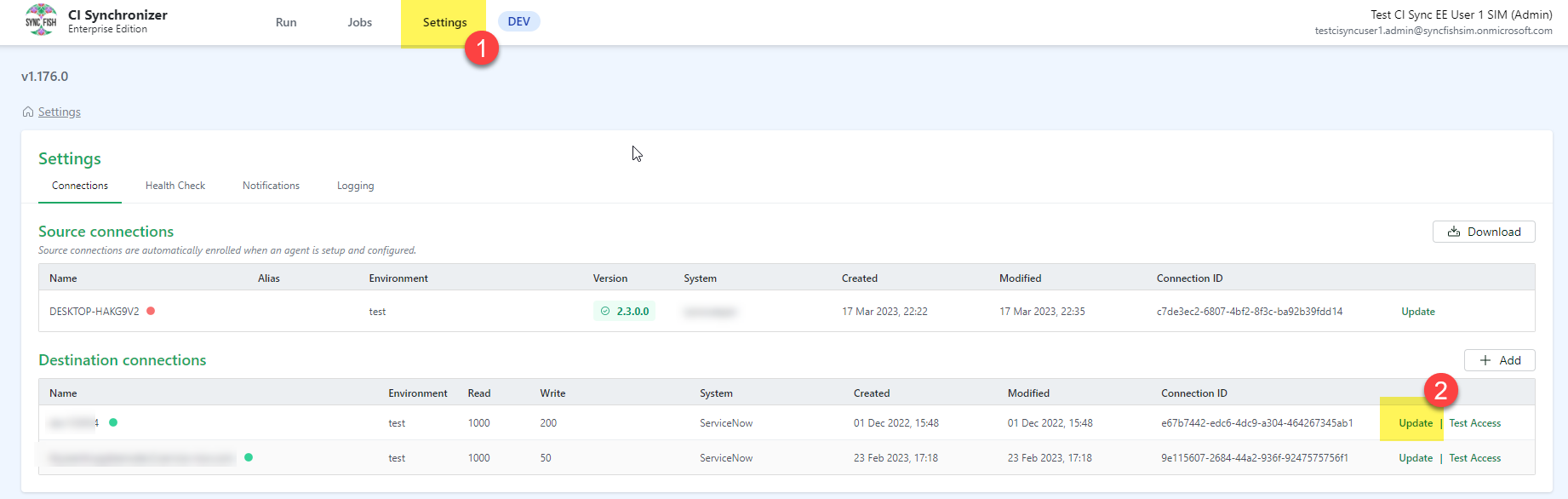
Go to your CI Sync (EE) instance and go to Settings and then under your ServiceNow connections click on Update
-
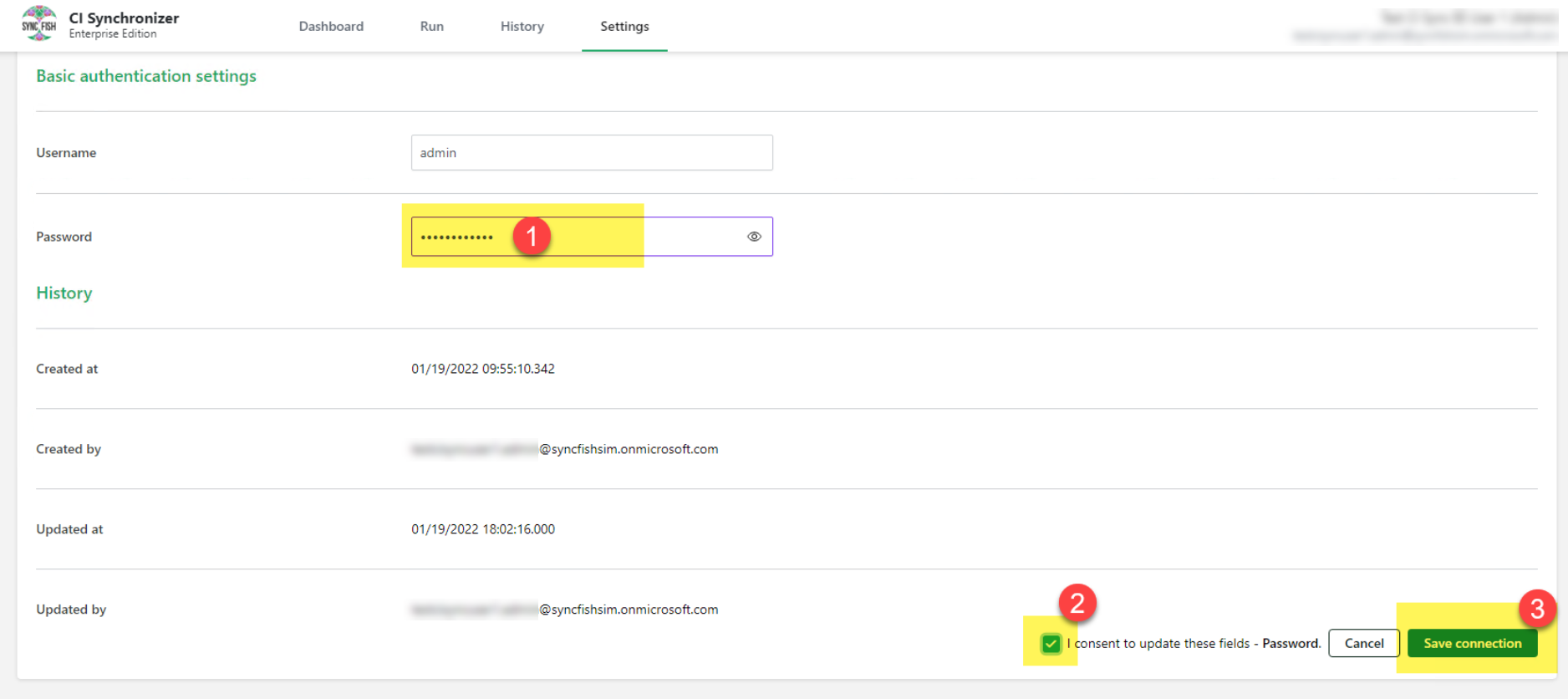
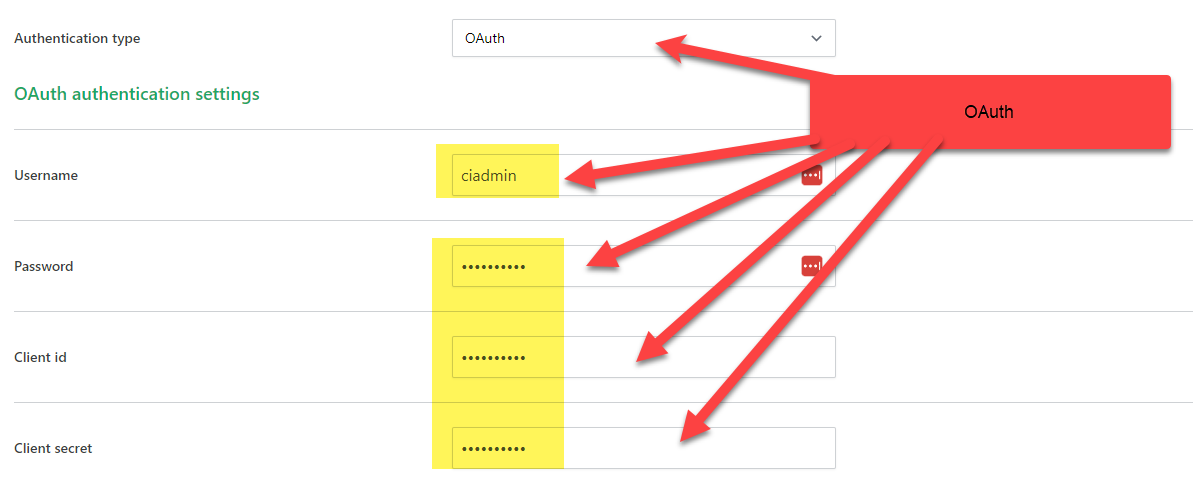
Depending on the Authentication type in use update the password and if using the oauth the Client id and secret. Then click I consent to update these fields - Password and click Save connection
-
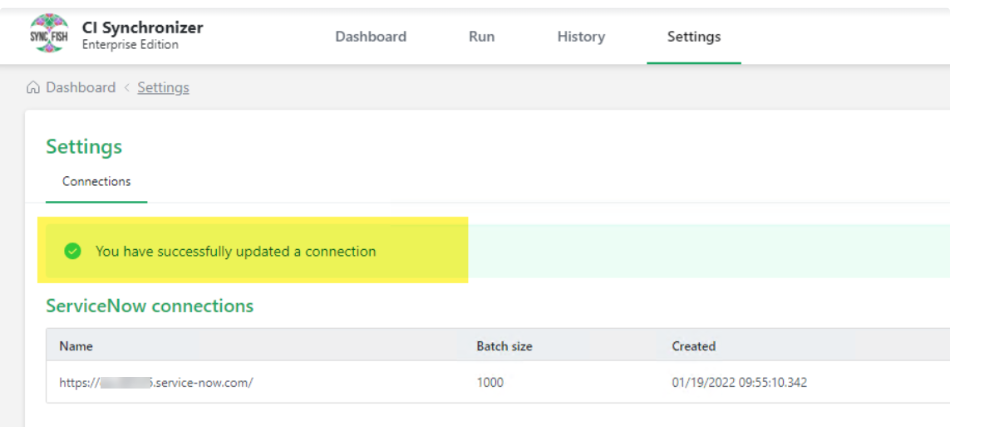
Ensure the update to the connection was successful
Related Articles
There are currently no related articles.
Control Information
|
Created |
|
|---|---|
|
Reviewed |
|
|
Data Classification |
PUBLIC
|