
Error experienced
“Unable to create job - Destination connection ‘<servername>’ does not have environment ‘prod’”
Error verification
No other error verification information is applicable.
Cause
When a scheduled job runs and does not have the Environment set it will return the error because there is no environment set for Prod or Test.
Fix
-
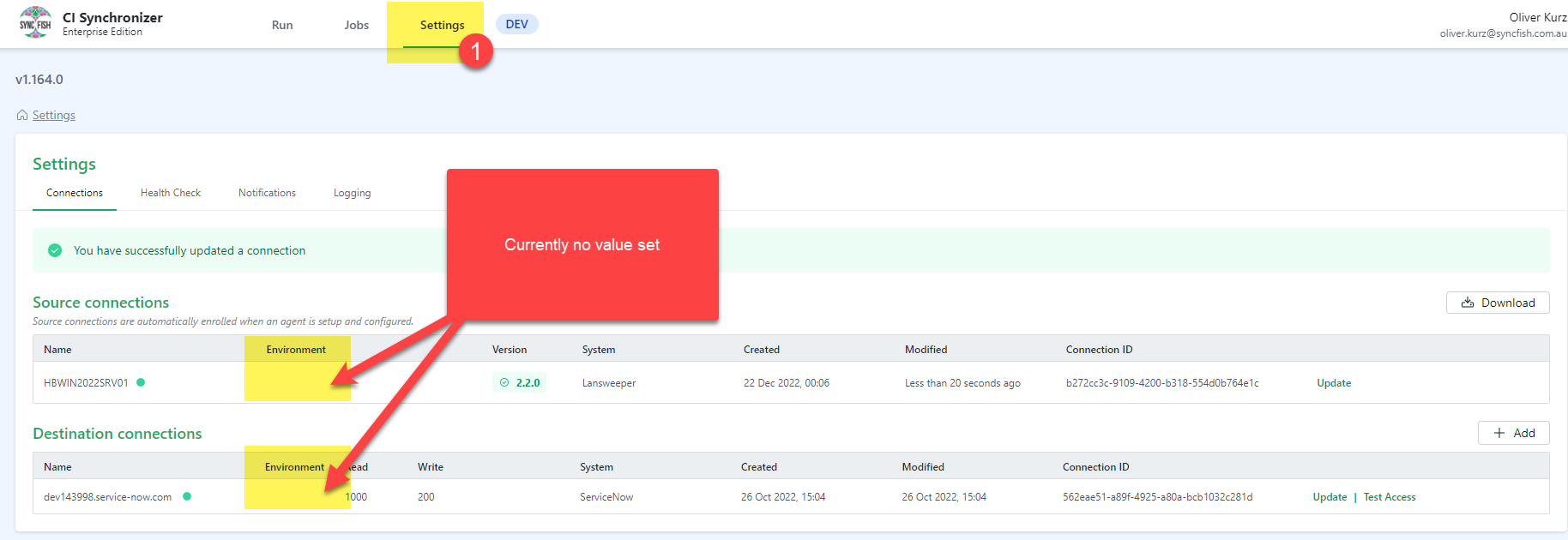
Login to the web UI and go to Settings and look at both the Source Connections and Destination Connections and under the Environment variable it needs to have a value of test or prod or if the source server is used for both test and prod then it will say prod,test
-
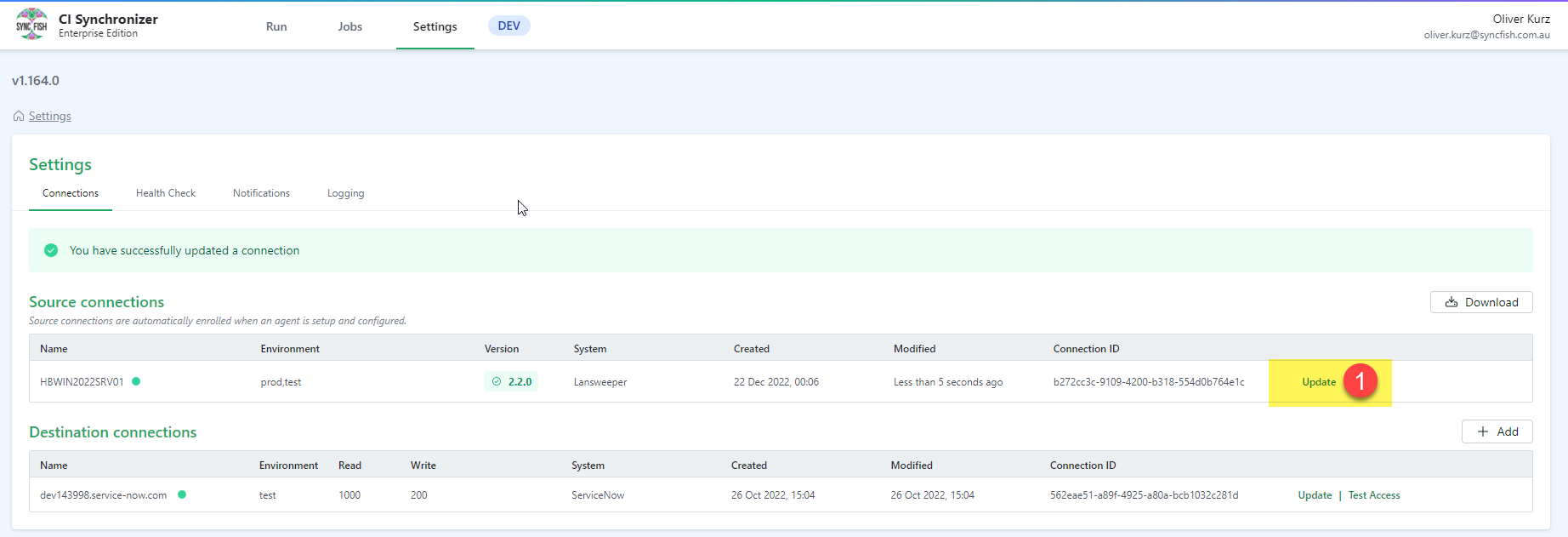
On the Source Connections click Update
-
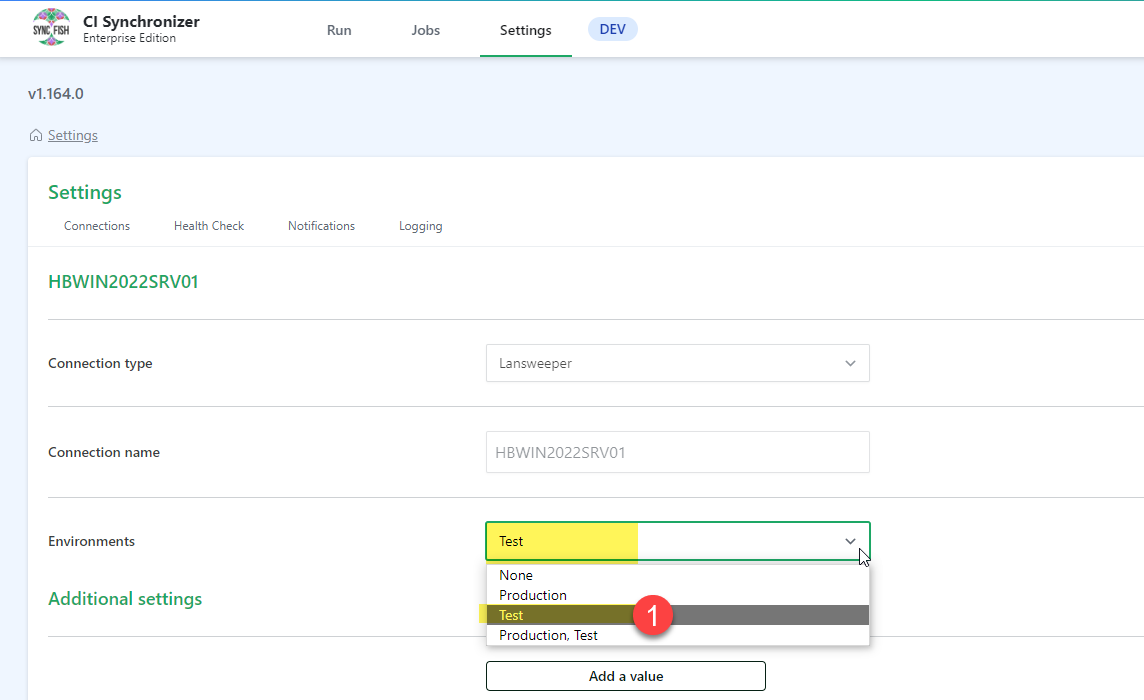
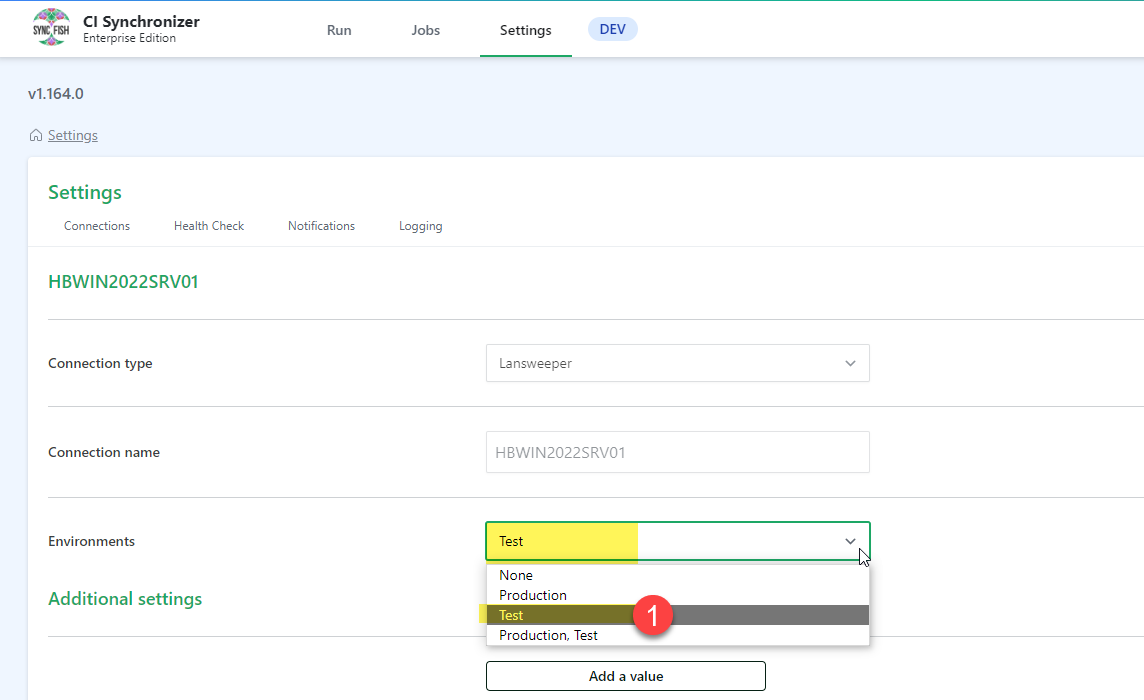
Under Environments from the drop down list choose what the source connection is, if it is Test, Prod or both.
-
Once chosen tick the “I consent to update these fields and click Save connection

-
The Environment on the Source connection will now be set
-
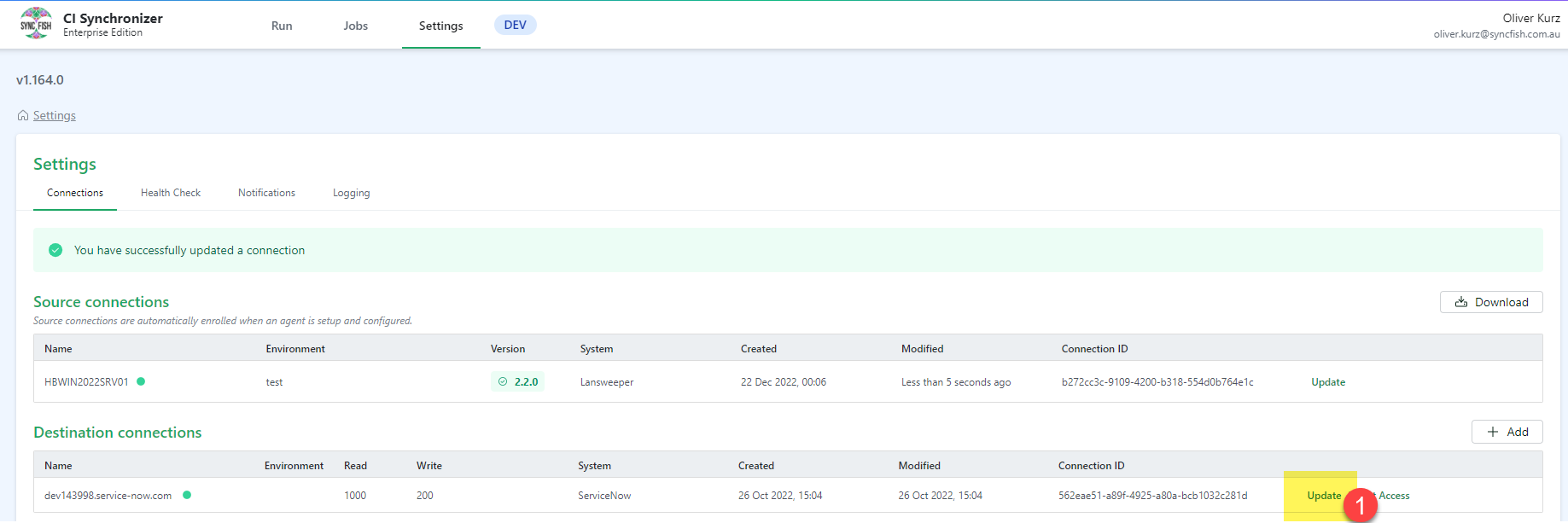
On the Destination connections click on Update
-
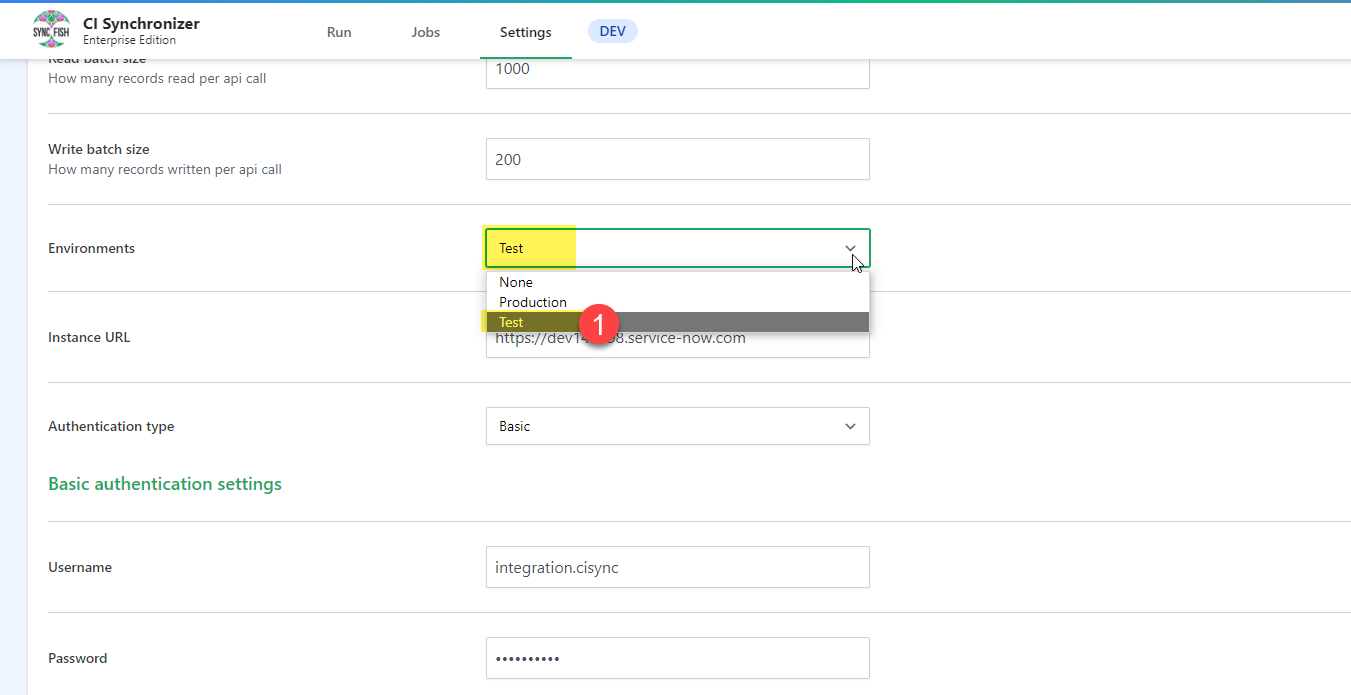
Under the Environment choose the Production or Test Environment
-
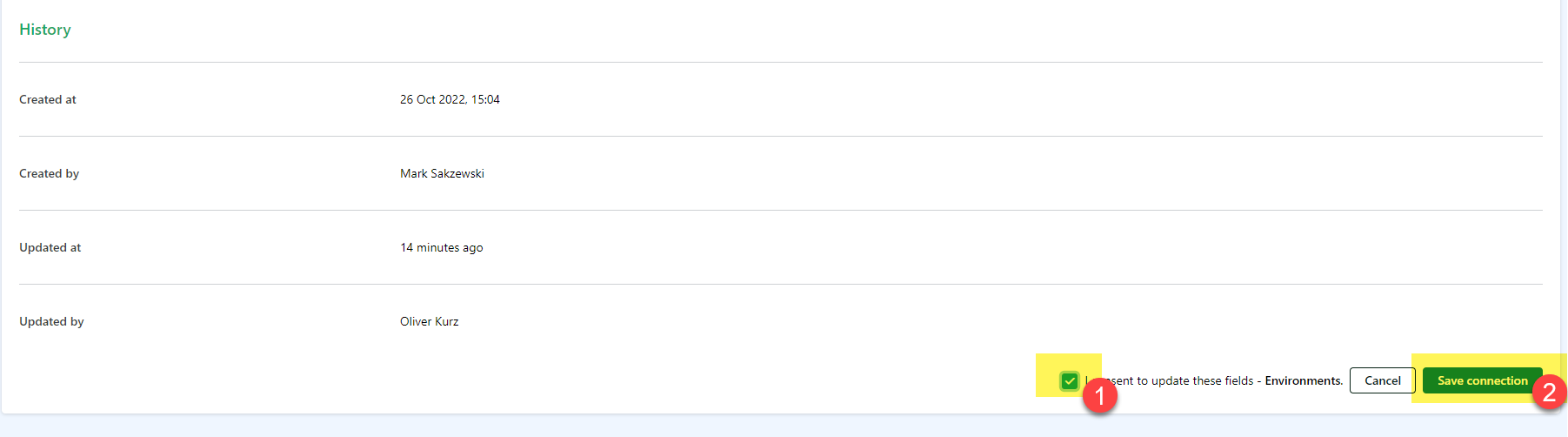
Once chosen tick the “I consent to update these fields and click Save connection
-
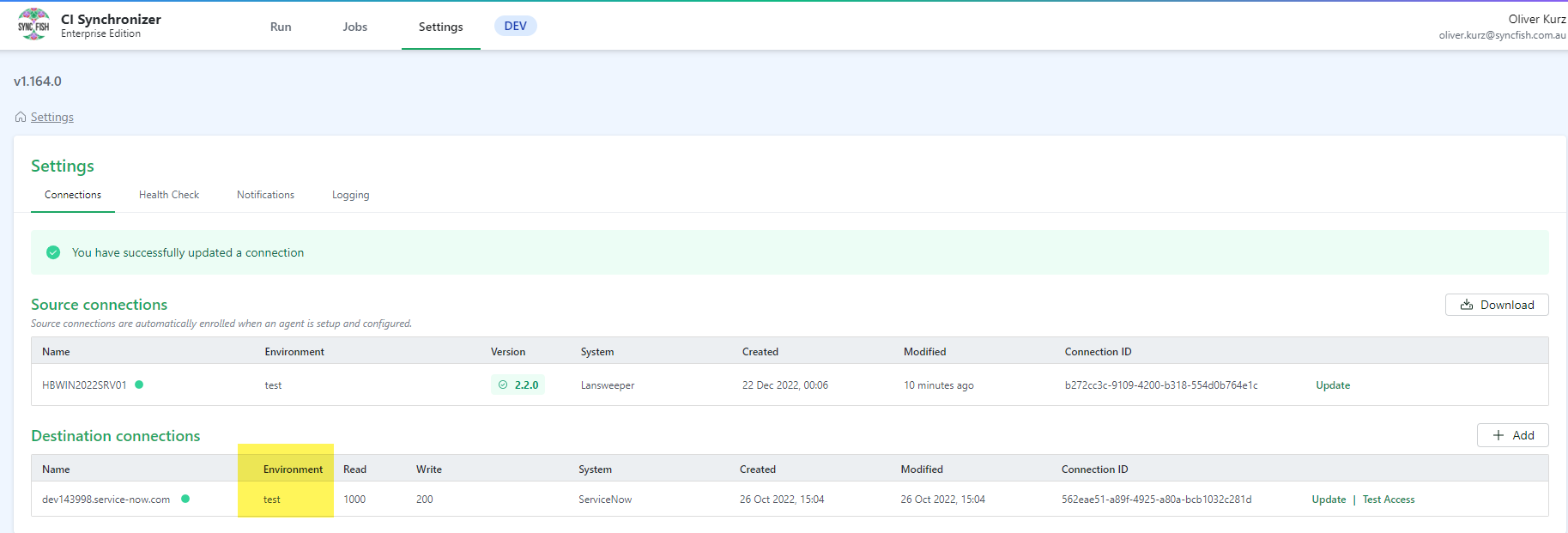
The Environment on the Source connection will now be set
Scheduled Jobs
-
Go into the scheduled jobs and edit the job and confirm the correct Environment is set
Related Articles
There are currently no related articles.
Control Information
|
Created |
|
|---|---|
|
Reviewed |
|
|
Data Classification |
PUBLIC
|