
Rule Synopsis
These are the rule/s that determine how Lansweeper Attributes/Fields are mapped to CMDB CI Attributes/Fields for each type of Lansweeper Asset.
Rule Details and Defaults
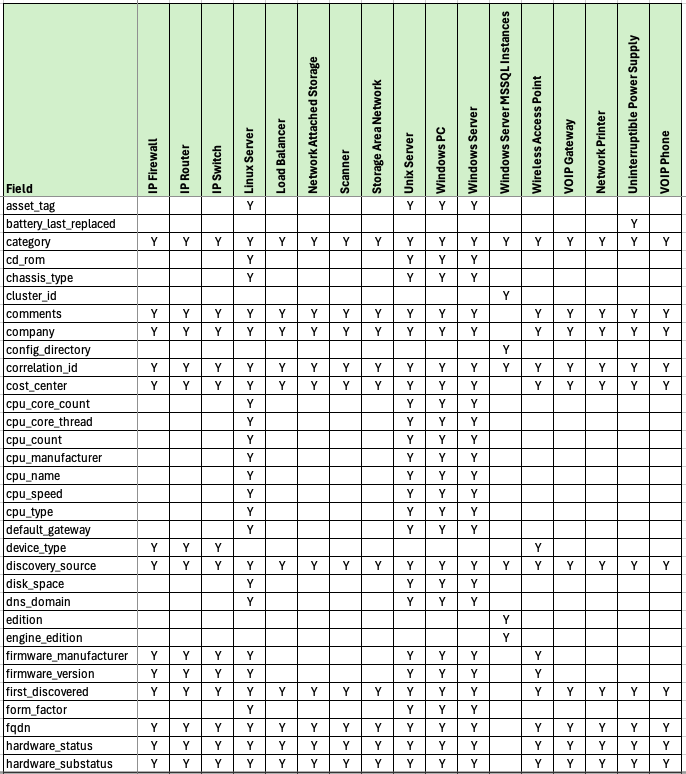
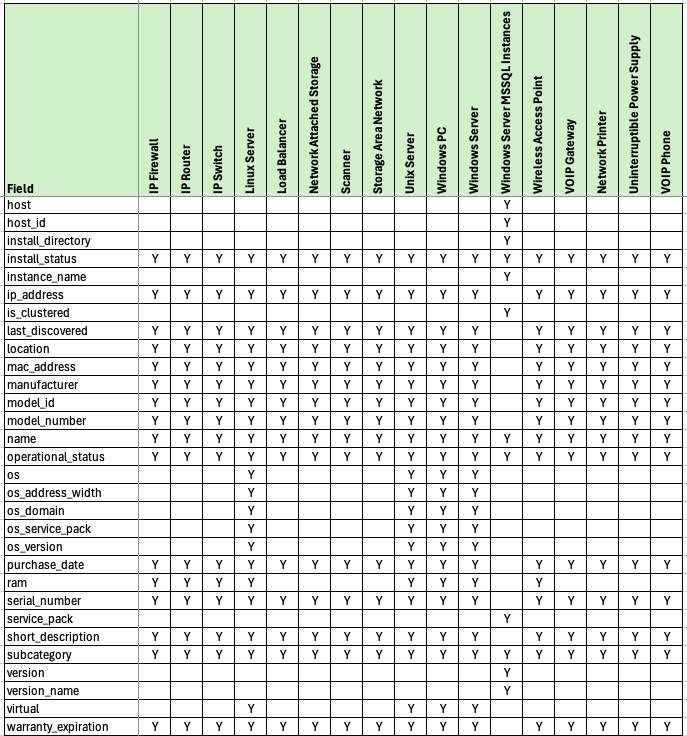
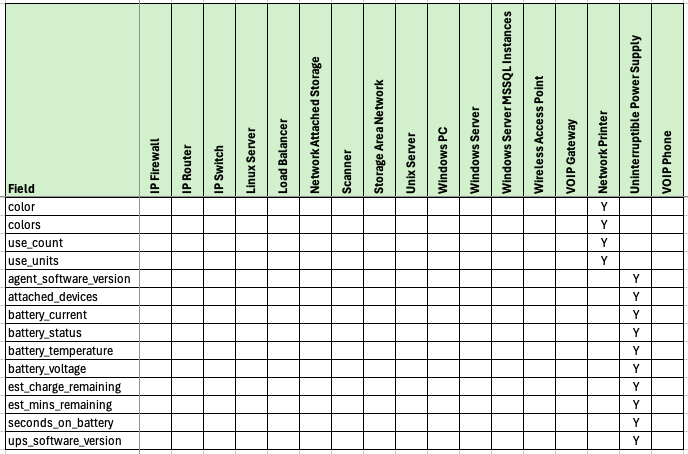
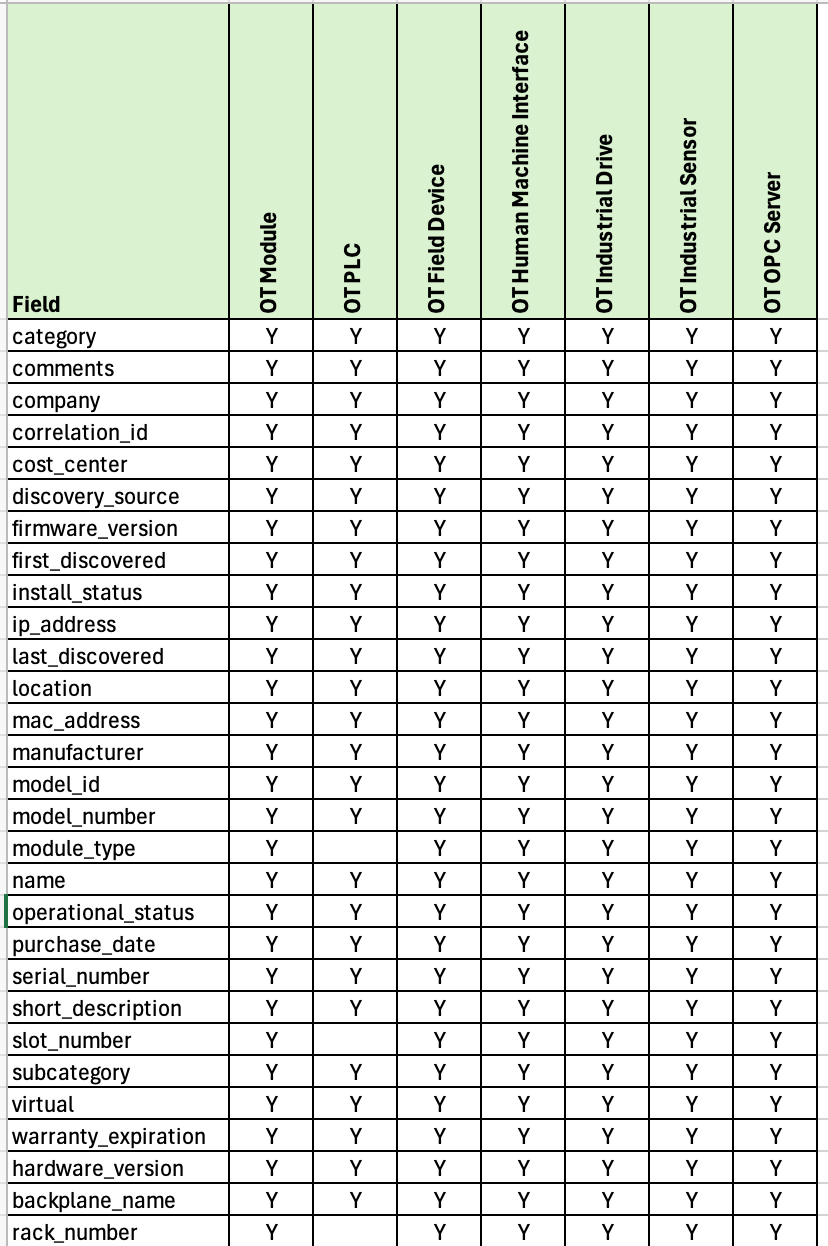
Please read the table below (which show the default mappings).
Due to the large number of fields per Asset Type (at the source) and attributes per CI (at the destination) the table below only shows the destination attributes per CI Class. Please contact Syncfish if you further information beyond what’s shown below.
For Lansweeper Cloud IT Assets
For Lansweeper Cloud OT Assets
Override Options
Context
Customers may consider changing the attribute/field level mappings (e.g. to add or remove attributes/fields).
Note: The attributes/fields available in ServiceNow are specific to target CI Table/Class (based on the CI Class inheritance model baked into the ServiceNow CMDB. Customers wishing to amend the attribute/field level mappings may have broader implications on the target CI Table/Class used for a given Lansweeper Asset type. For this reason, customers should engage Syncfish to discuss the implications of changing the default attribute/field level mappings.
Options
-
The field mappings (and transformation of data for persistence into the destination fields) can be amended for each Lansweeper Asset Type.
Overriding via Connection Settings
N/A
Additional Information
N/A
Related Rules
N/A
Support Model for Rule Overrides
Question: Can overrides be performed by customers without a Syncfish Extended Implementation and Support Plan?
Answer: No (a plan is needed - see below)
Question: Which Syncfish Extended Implementation and Support Plan is required to obtain overrides of this rule
Answer: Either a Silver Plan or Gold Plan