
Rule Synopsis
These are the rule/s that determine how JDisc Attributes/Fields are mapped to CMDB CI Attributes/Fields for each type of JDisc Asset.
Rule Details and Defaults
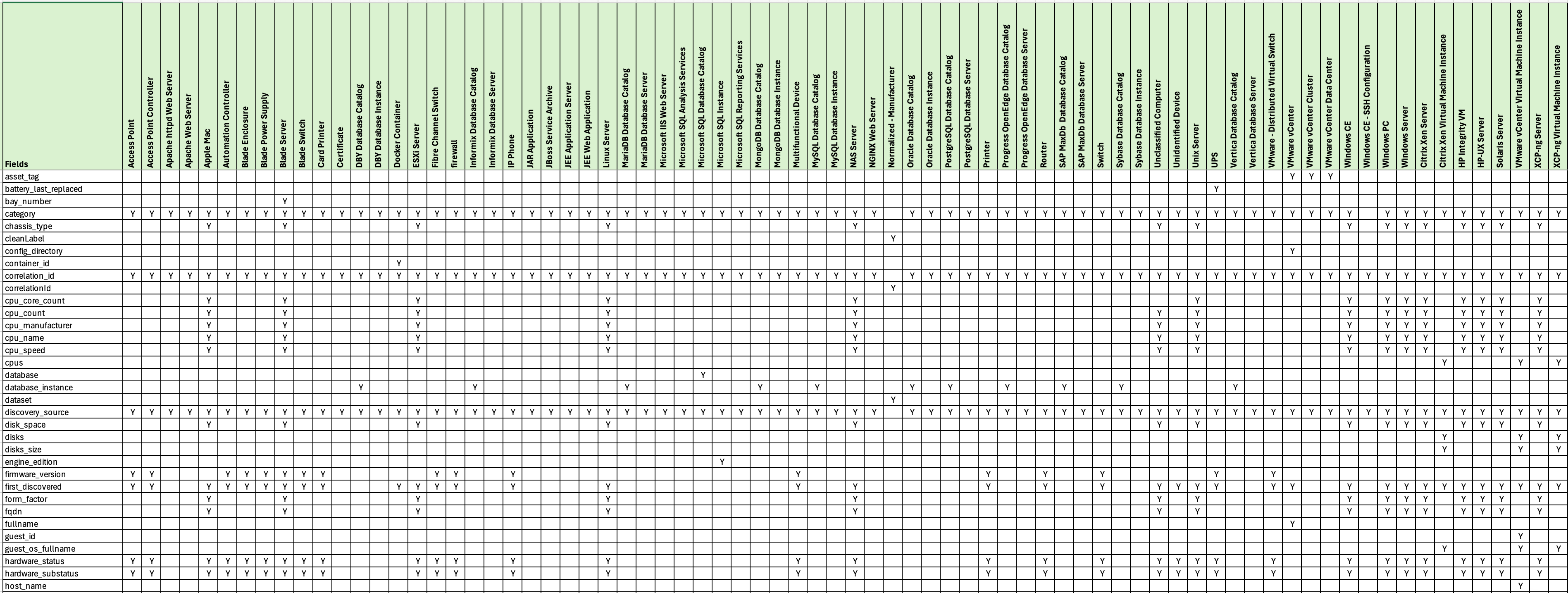
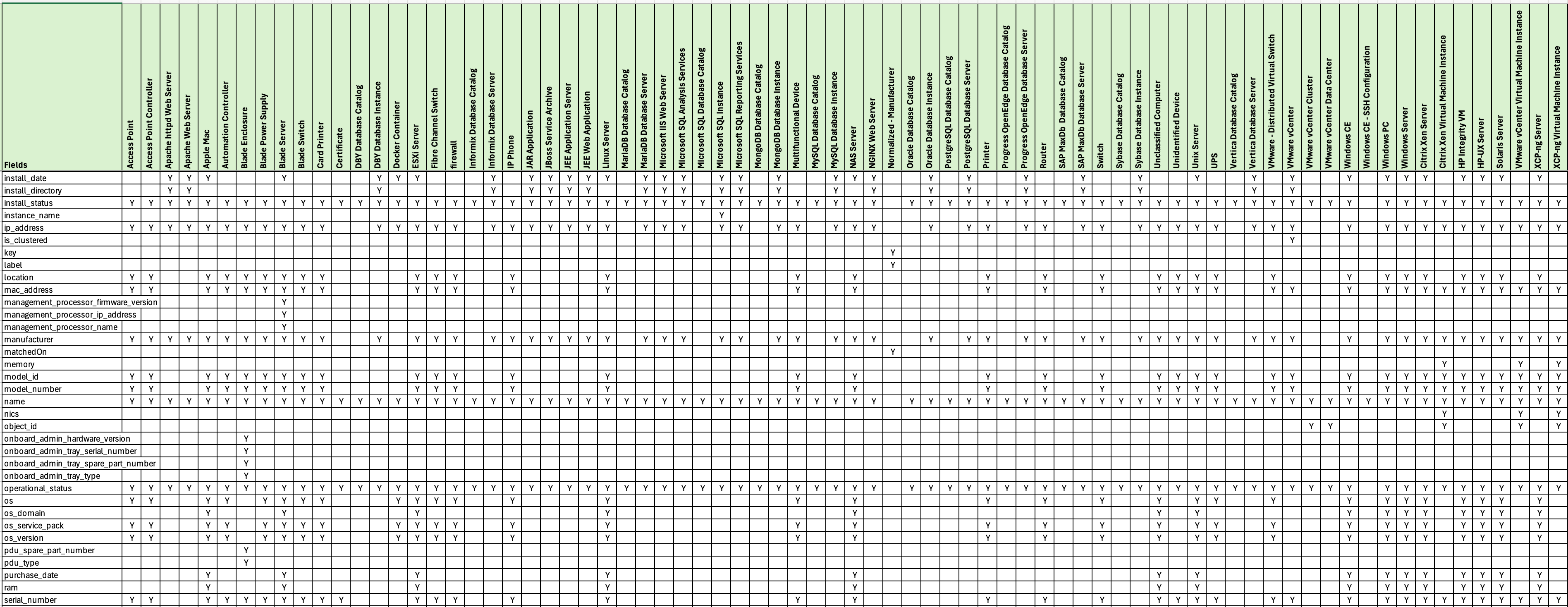
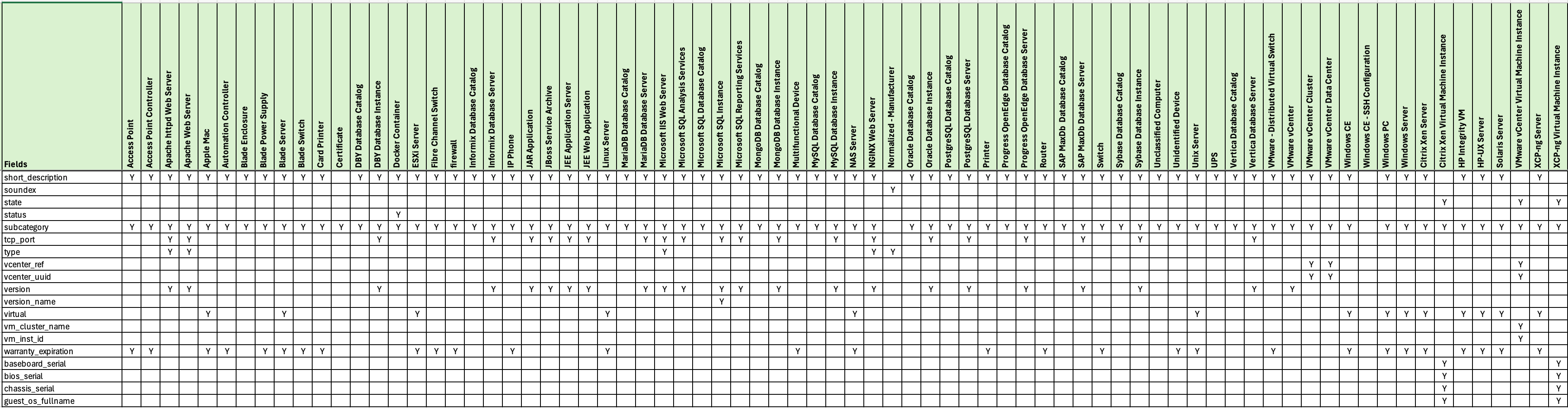
Please read the table below (which show the default mappings).
Due to the large number of fields per Asset Type (at the source) and attributes per CI (at the destination) the table below only shows the destination attributes per CI Class.
Also, only Primary/Parent Record Sets are shown in the table. Secondary/Child Record Sets have been removed to improve readability of the tables below. This includes:
-
Installed Software records
-
Memory Modules
-
Network Adapters
-
Physical Disks
-
Logical Disks
-
ILO Cards
-
Java Process, Risk Summary, Installation records
-
SSH Configuration records
Please contact Syncfish if you further information beyond what’s shown below.
Override Options
Context
Customers may consider changing the attribute/field level mappings (e.g. to add or remove attributes/fields).
Note: The attributes/fields available in ServiceNow are specific to target CI Table/Class (based on the CI Class inheritance model baked into the ServiceNow CMDB. Customers wishing to amend the attribute/field level mappings may have broader implications on the target CI Table/Class used for a given JDisc Asset type. For this reason, customers should engage Syncfish to discuss the implications of changing the default attribute/field level mappings.
Options
-
The field mappings (and transformation of data for persistence into the destination fields) can be amended for each JDisc Asset Type.
Overriding via Connection Settings
Not Available - Requires a Custom Data Sync Rule (and therefore a Syncfish Support Plan to modify the default behavior).
Additional Information
N/A
Related Rules
N/A